





How to Use Ninja Drive in the Gutenberg Block Editor
In the Gutenberg block editor, Ninja Drive has 7+ blocks that give the power to easily make the Google Drive widgets without any extra hassle, as Ninja Drive for Google Drive in WordPress always tries to make things better and better
Enable Gutenberg Support in Ninja Drive
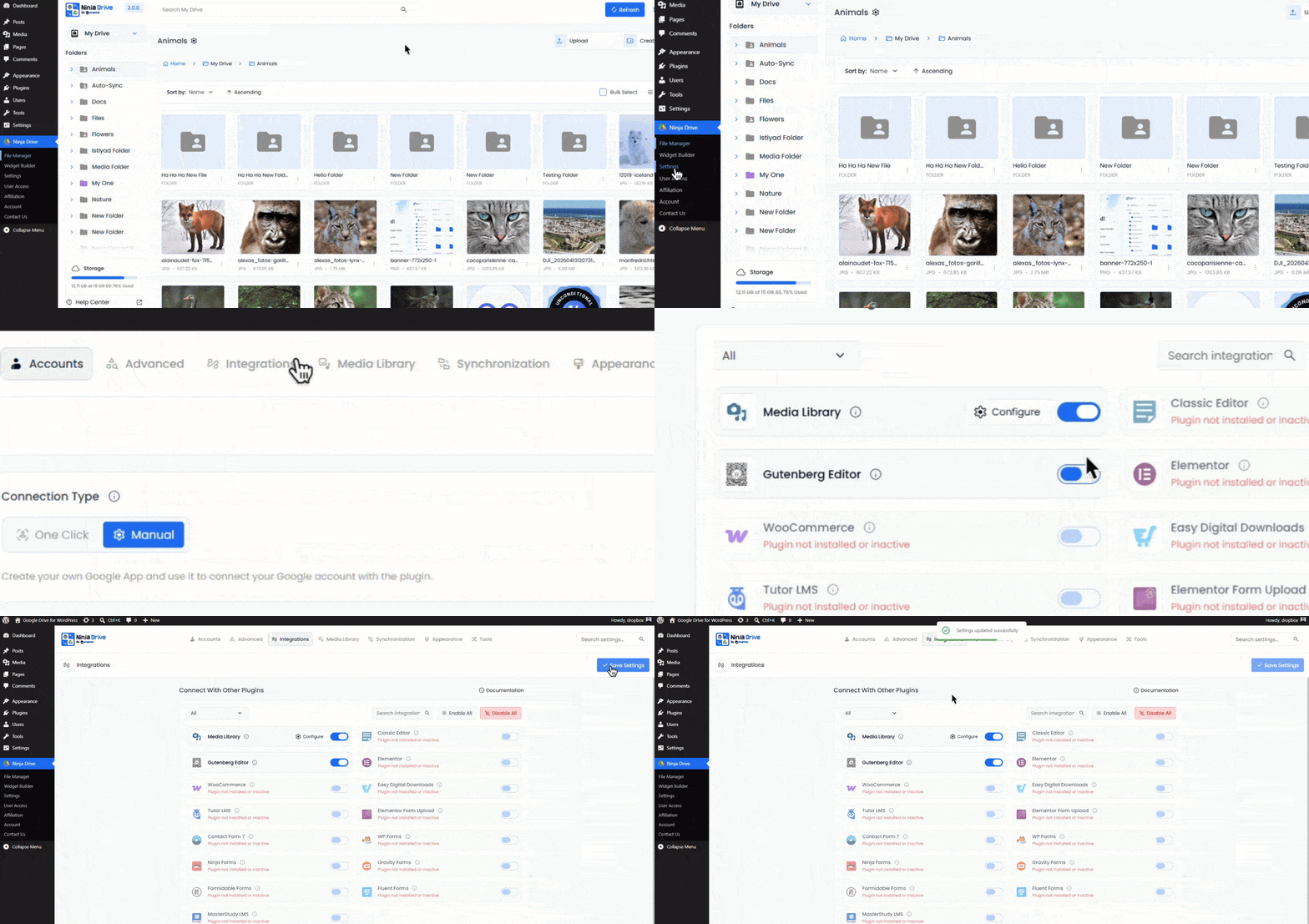
Before using Ninja Drive blocks in Gutenberg, make sure the integration is enabled.
- Open Ninja Drive from your WordPress dashboard.
- Navigate to Settings → Integrations.
- Locate the Gutenberg Editor Integration option.
- Enable the integration.
- Click Save Changes to apply the settings.
Insert Ninja Drive Content Using Gutenberg Blocks
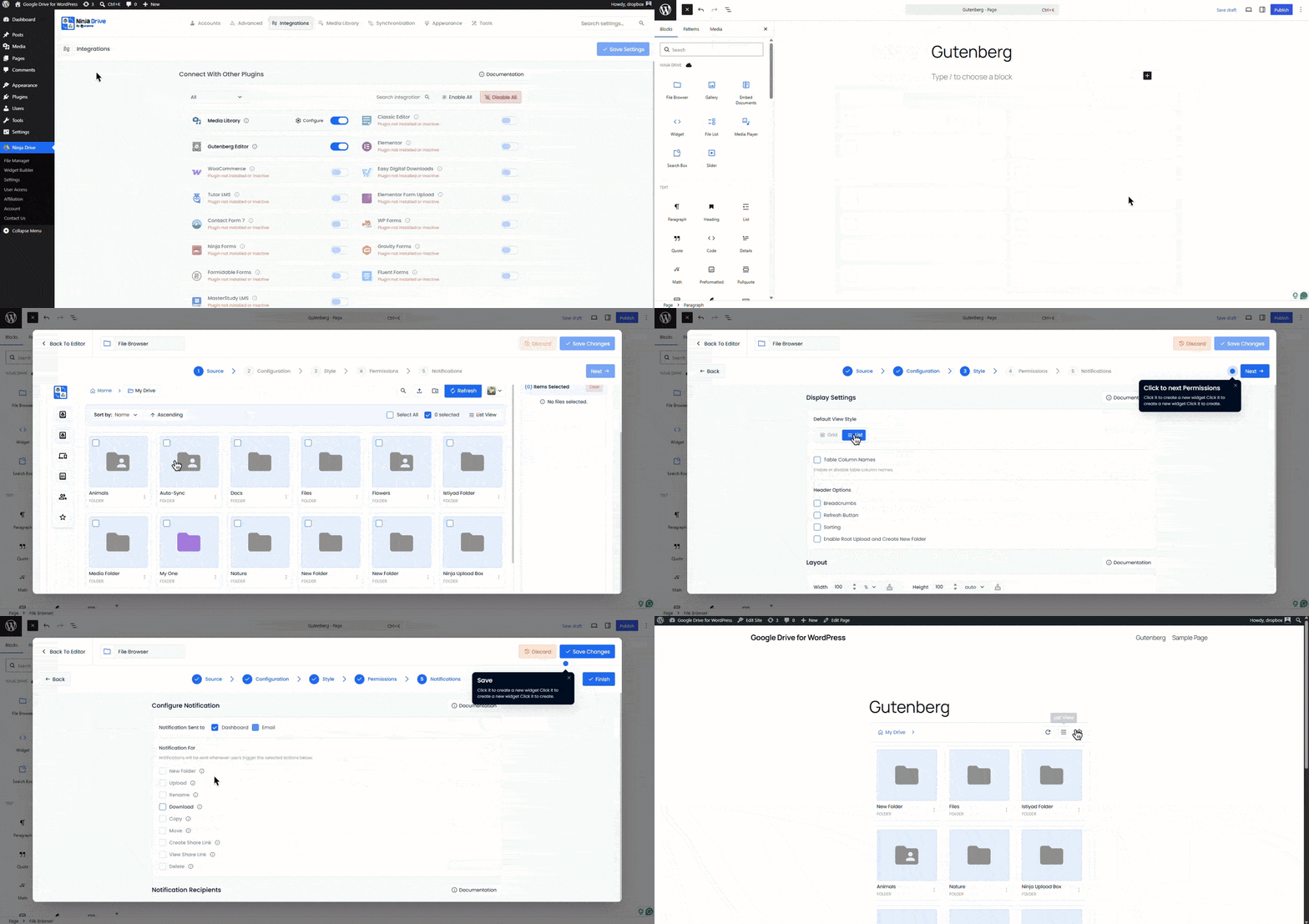
Once enabled, Ninja Drive adds dedicated blocks to the WordPress editor, making it easy to embed cloud-powered content anywhere on your website.
- Open any page or post in the Gutenberg Editor.
- Click the + icon to add a new block.
- Search for Ninja Drive.
- Select the Ninja Drive block.
- Choose the content type you want to display, such as:
- File Browser
- Media Player
- Image Gallery
- Slider
- Document Viewer
- Search Box
- File List
- Shortcode Module
- Select an existing module or configure a new one directly from the block settings panel.
Need help creating your first Ninja Drive module? Check out the module creation guide before continuing.
Embed Existing Ninja Drive Shortcodes
Already created modules with Ninja Drive? You can insert them into Gutenberg in just a few clicks.
- Add a Ninja Drive Shortcode block or a standard Shortcode block.
- Select your preferred module from the available list.
- The shortcode will be inserted automatically and rendered in the editor preview.
Live Preview Inside the Editor
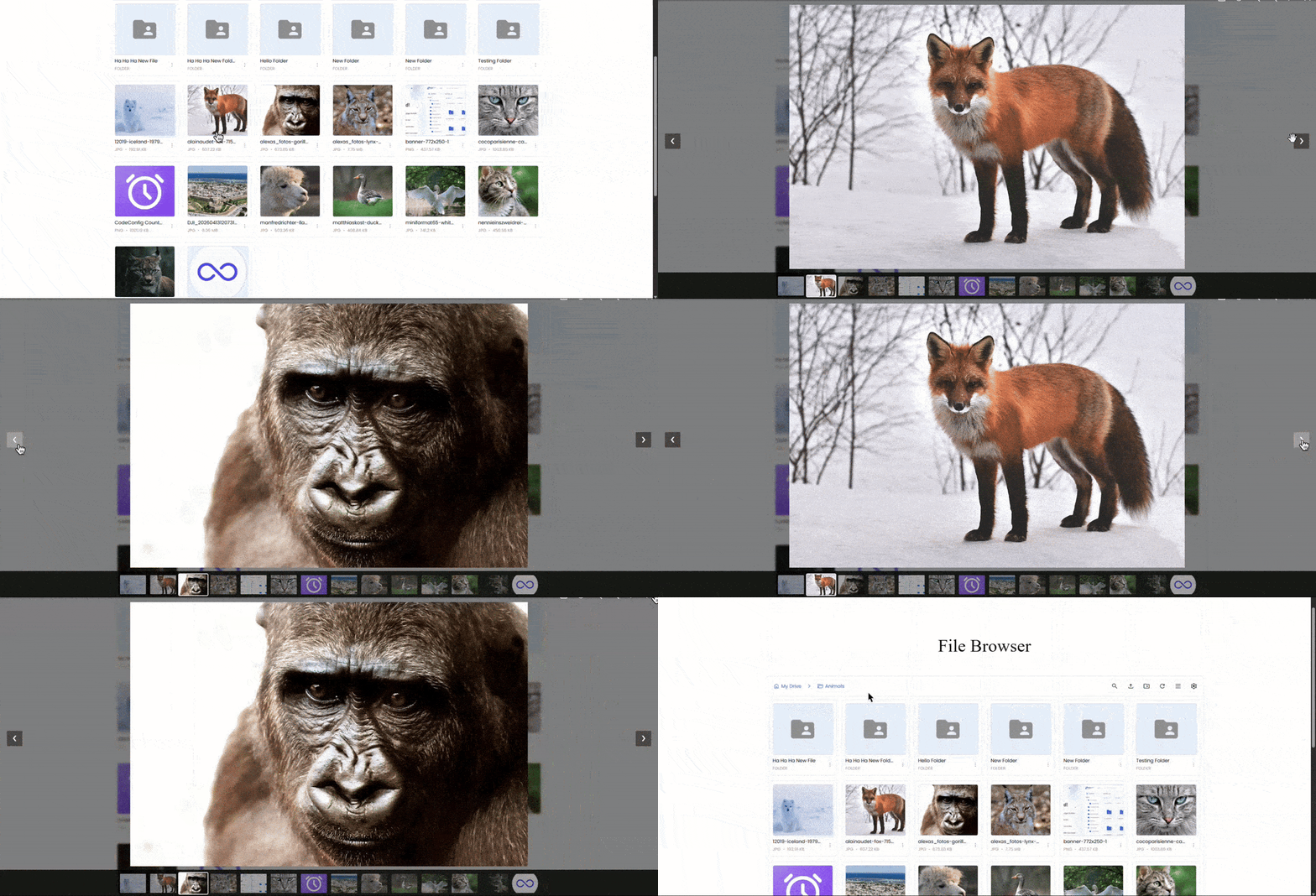
One of the biggest advantages of Ninja Drive’s Gutenberg integration is the ability to preview your content before publishing. Whether you’re displaying a file browser, gallery, media player, or document viewer, you’ll see how it appears directly within the editor, helping you build pages faster and with greater accuracy.
Ready to manage and display your Google Drive files directly from WordPress? Get Started with Ninja Drive

 Join Community