




How to Share Google Drive Direct Preview Links from WordPress
Direct preview links make it easy for users to view files without downloading them. With Ninja Drive, you can generate secure preview links and share them with anyone for quick access to your files.
Share a Direct Preview Link
- Open the Ninja Drive file manager from your WordPress dashboard.
- Right-click on the file you want to share.
- Click the Share option from the context menu.
- Optional: Enable Password Protection and set a password containing at least 6 characters.
- Select the desired Link Validity period and click Generate Share Link.
- Copy the generated URL and share it with your users.
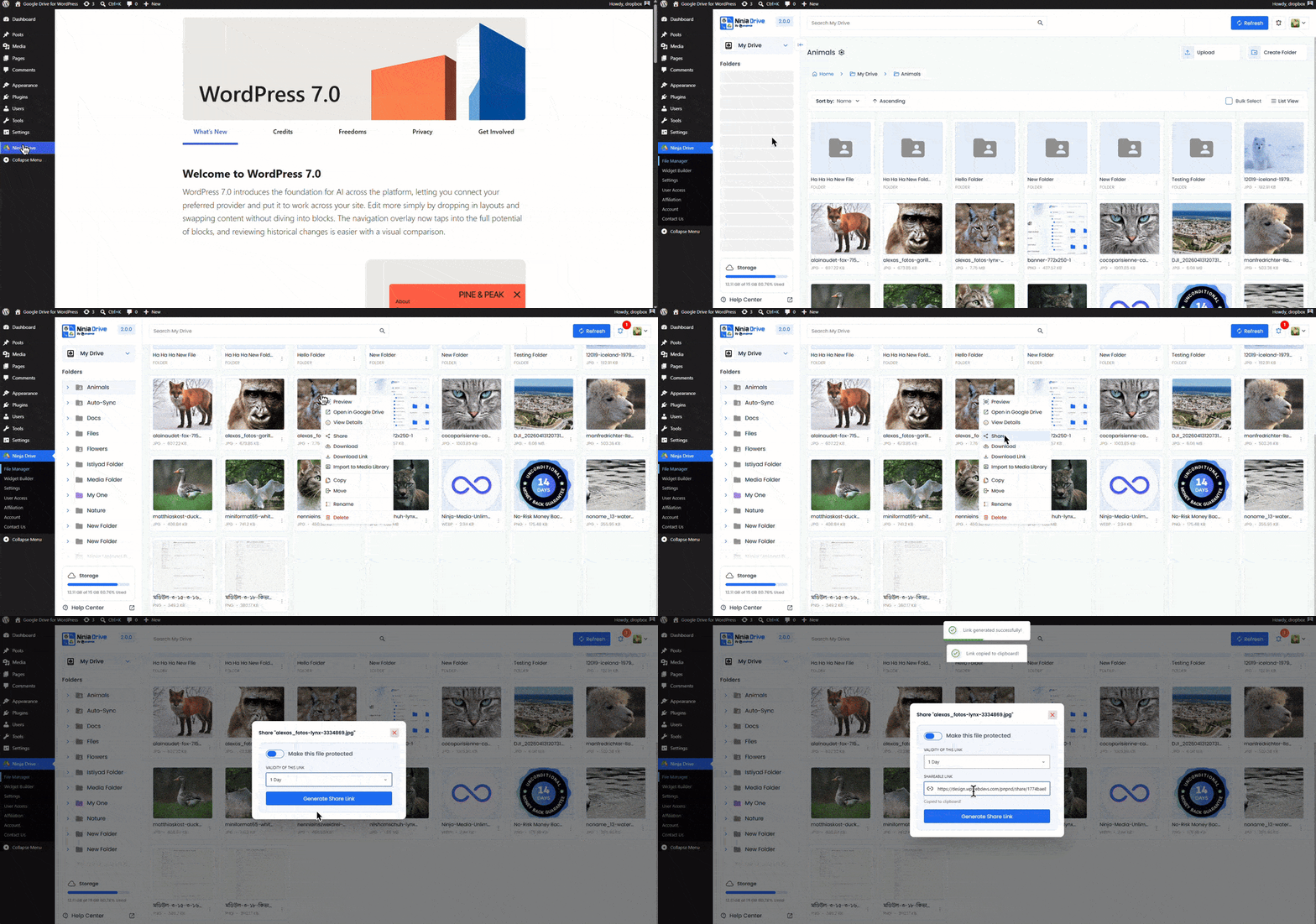
Anyone with the generated link can preview the file directly in their browser without needing access to your WordPress dashboard.
Need Ninja Drive on your website? Get Started Now

 Join Community