





How to Add a Google Drive File as a Downloadable Product in WooCommerce?
Ninja Drive makes it simple to connect Google Drive with WooCommerce, allowing you to sell digital products directly from your cloud storage. Whether you’re selling eBooks, PDFs, software, templates, videos, or other downloadable files, customers can securely access their purchases after completing an order.
Instead of manually uploading files to WordPress, you can select files directly from Google Drive and use them as downloadable WooCommerce products.
Enable WooCommerce Integration
Before assigning Google Drive files to products, make sure the WooCommerce integration is enabled.
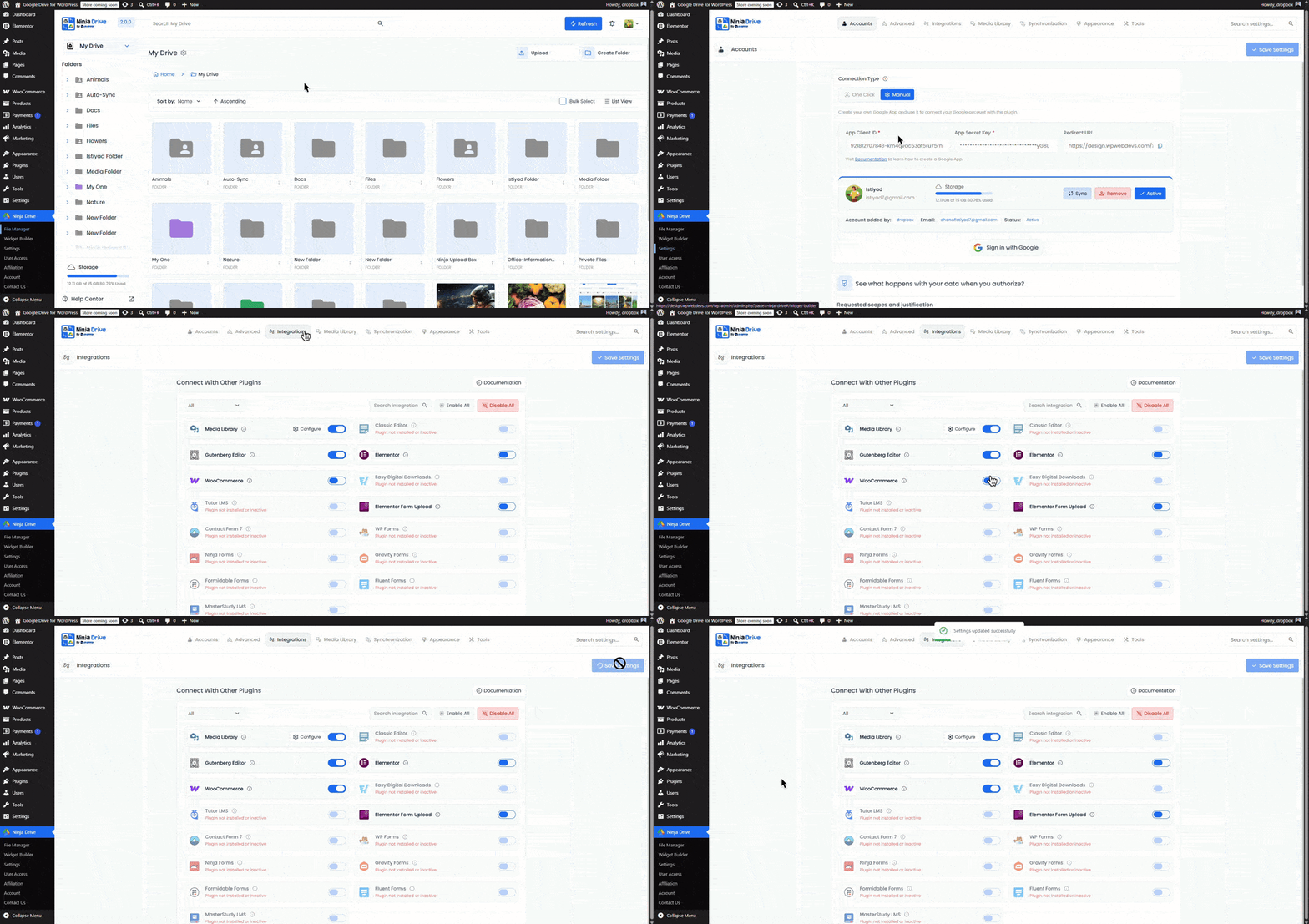
- Navigate to Ninja Drive → Settings.
- Open the Integrations tab.
- Enable WooCommerce Integration.
- Click Save Changes.
Create a Downloadable WooCommerce Product
Once the integration is active, you can attach Google Drive files directly to your WooCommerce products.
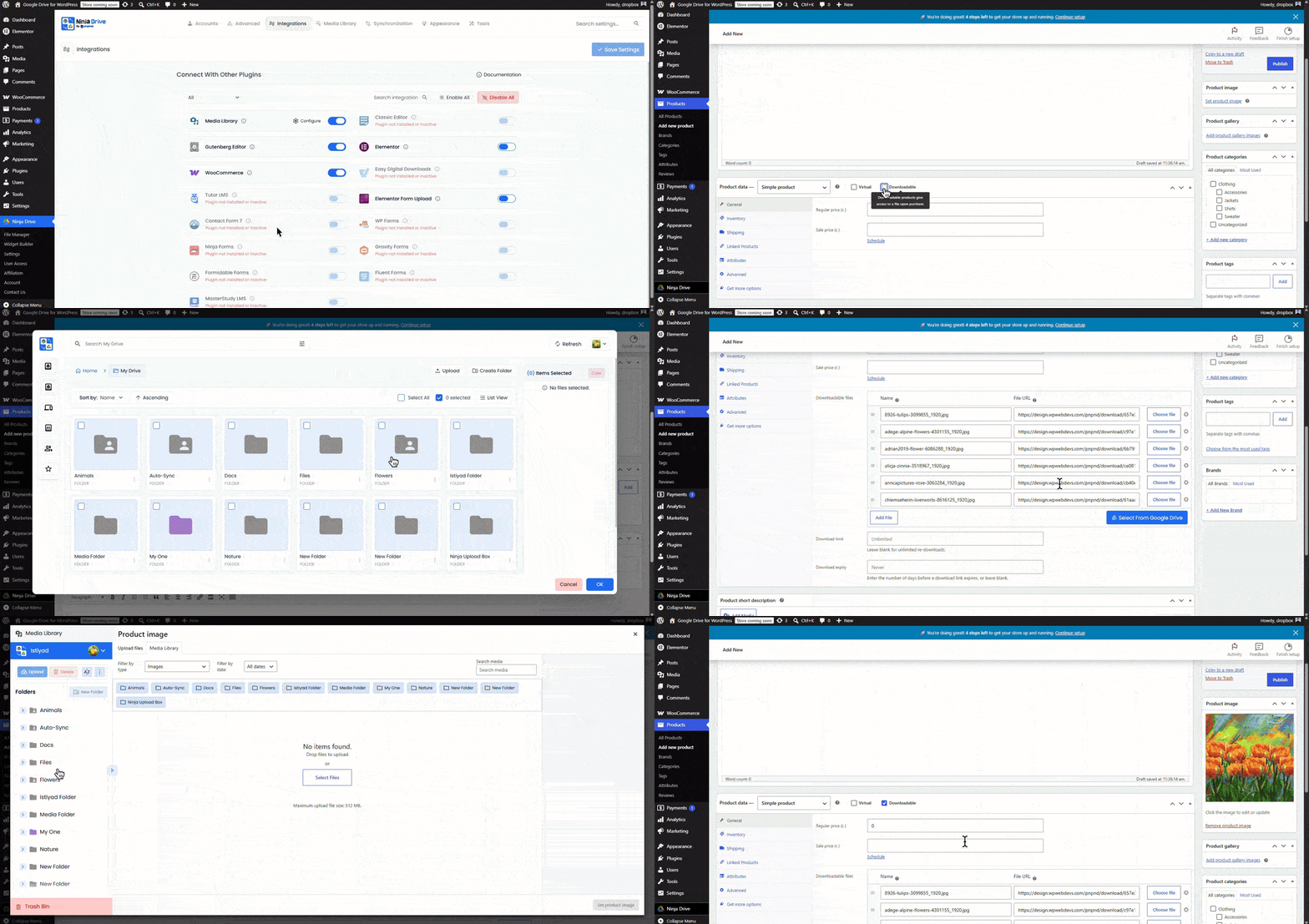
- Go to Products in your WordPress dashboard.
- Create a new product or edit an existing one.
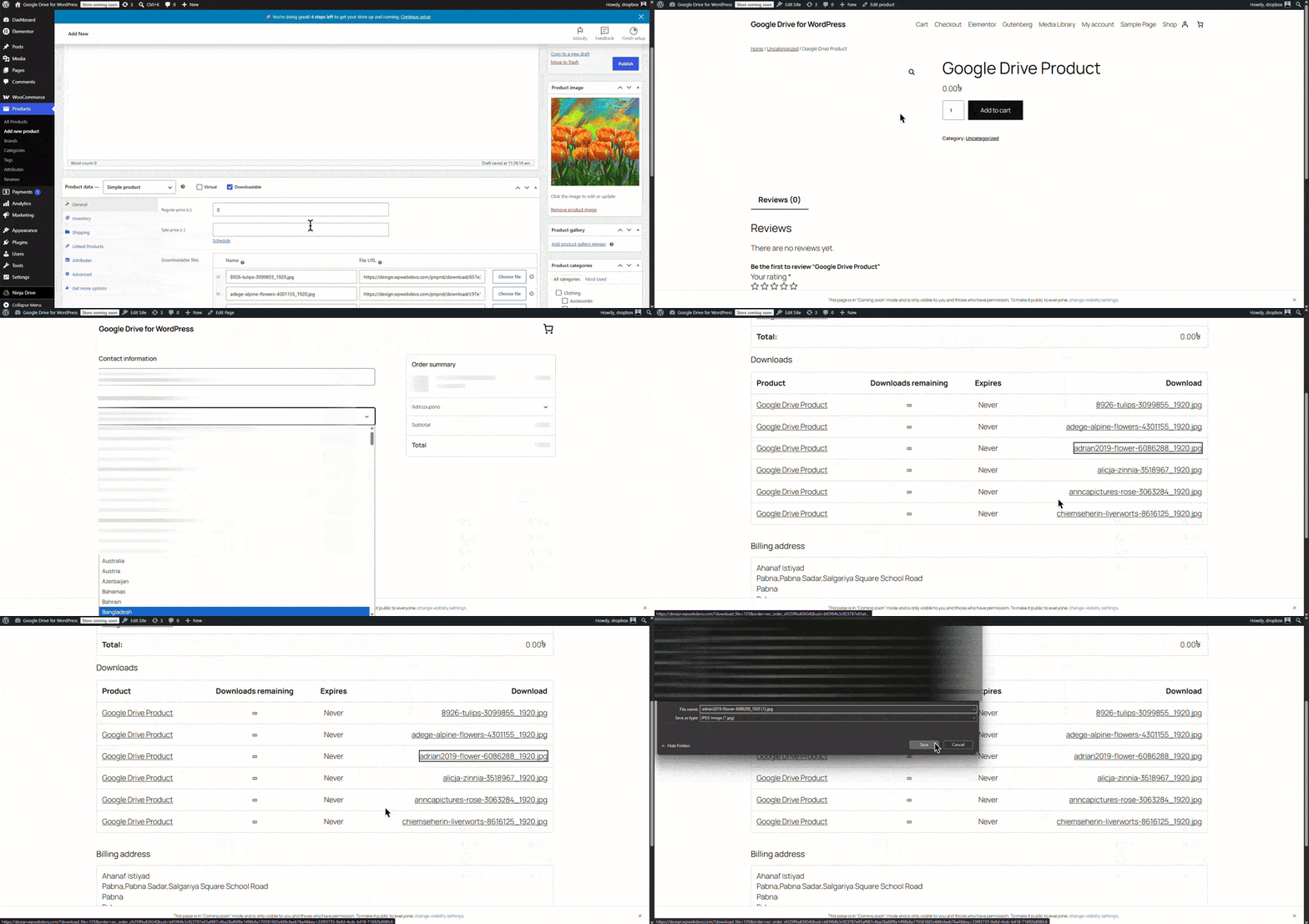
- In the Product Data section, enable the Downloadable option.
- Locate the Downloadable Files section and click Add File.
- Click Choose File to open the media selector.
- Switch to the Ninja Drive tab.
- Browse your Google Drive files and select the file you want to sell, then click Insert.
- Click Update or Publish to save the product.
Customer Download Experience
After a successful purchase, WooCommerce automatically grants access to the downloadable file. Customers can access their downloads from their account dashboard or order details page.
Ninja Drive handles the connection between WooCommerce and Google Drive, ensuring your digital products remain easily accessible while simplifying file management.
Perfect for selling digital products such as eBooks, courses, templates, software, audio files, design assets, PDFs, and premium downloads directly from your Google Drive storage.
Output
Ready to manage and display your Google Drive files directly from WordPress? Get Started with Ninja Drive

 Join Community