







How to Use The Google Drive File Uploader Field In Contact Form 7 for Free?
Ninja Drive extends Contact Form 7 by adding a powerful Google Drive File Uploader field. This allows visitors to upload files directly to your connected Google Drive account instead of storing them on your WordPress server.
It’s perfect for job applications, client submissions, support requests, project files, documents, images, videos, and other large file uploads.
Enable Contact Form 7 Integration
Before adding the uploader field, make sure the Contact Form 7 integration is enabled.
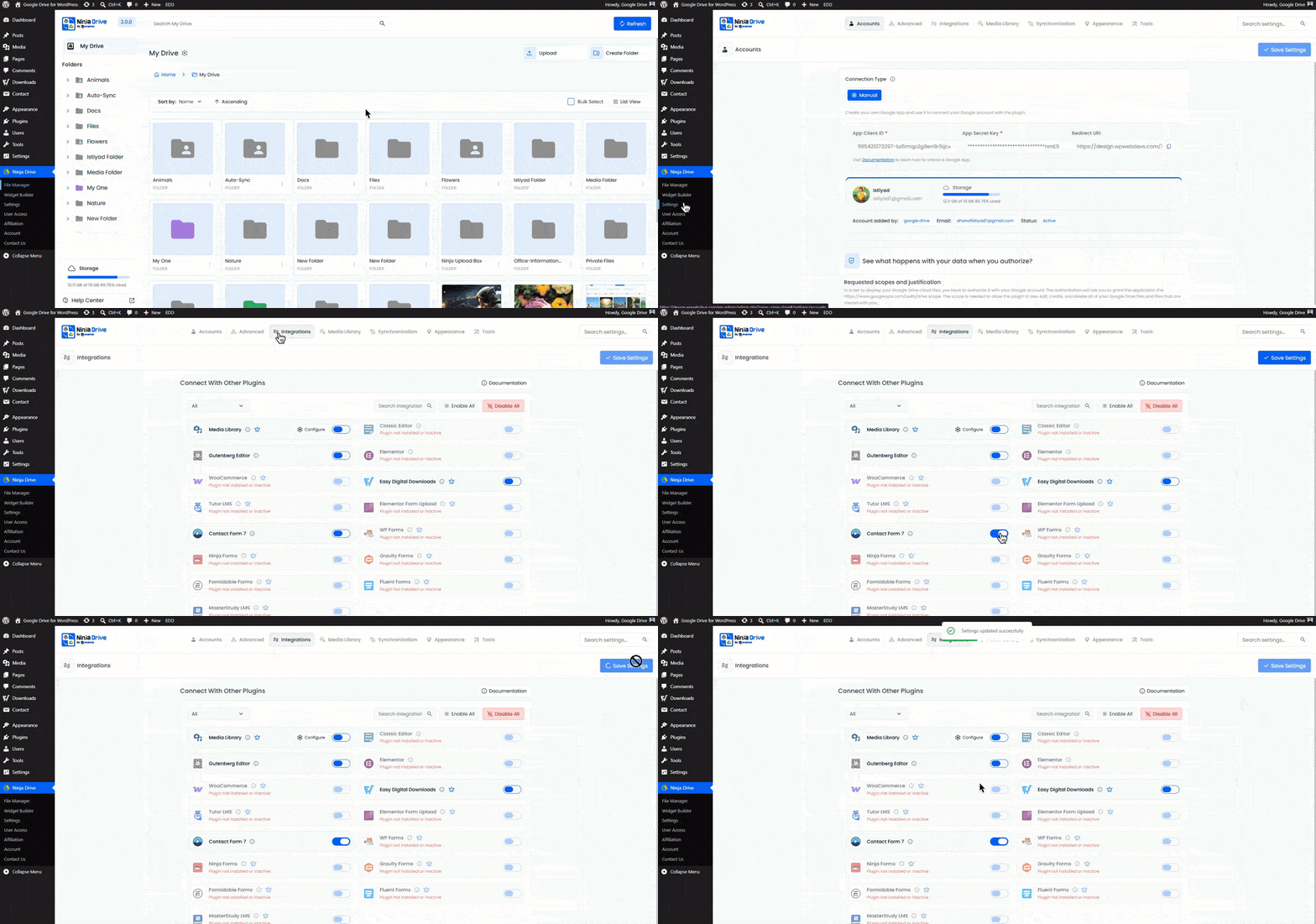
- Navigate to Ninja Drive → Settings.
- Open the Integrations tab.
- Enable Contact Form 7 Integration.
- Click Save Changes.
Configure the Upload Field & Destination
After enabling the Contact Form 7 integration, you can configure any file upload field to store uploaded files directly in your Google Drive account.
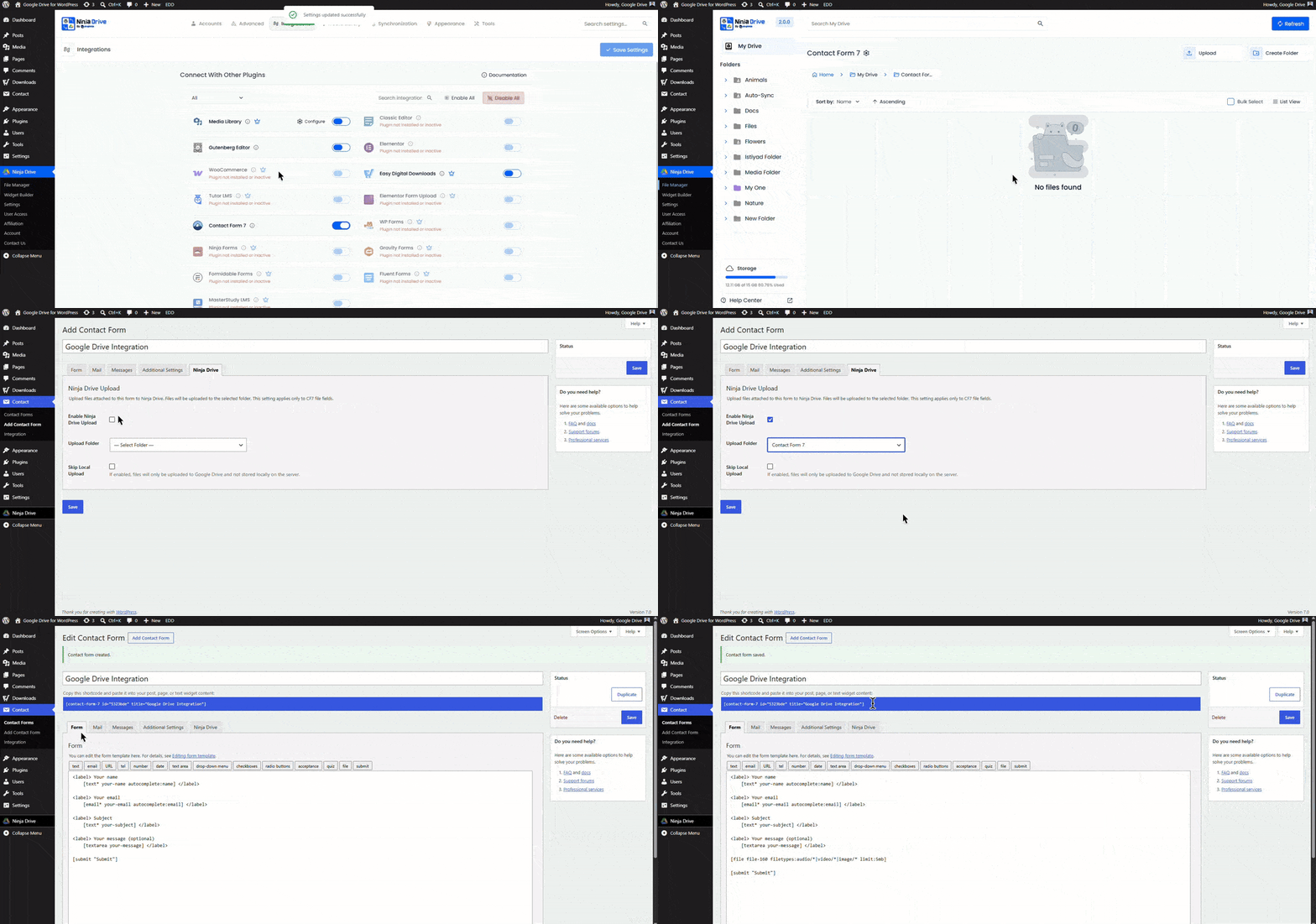
- Open your Contact Form 7 form for editing or add one.
- Click on the Ninja Drive tab from the top navigation bar.
- Enable the Ninja Drive Upload option.
- Select a destination folder from your connected Google Drive account.
- If you don’t want uploaded files to be stored on your WordPress server, enable the Skip Local Upload option.
- Return to the Form tab.
- Add a File Upload field or edit an existing one.
- Configure the file field. Once configured, this field will automatically work as a Google Drive file uploader.
- Save your form settings.
- Publish or update the form.
When visitors submit the form, uploaded files will be sent directly to your selected Google Drive folder, making file management easier and reducing storage usage on your WordPress website.
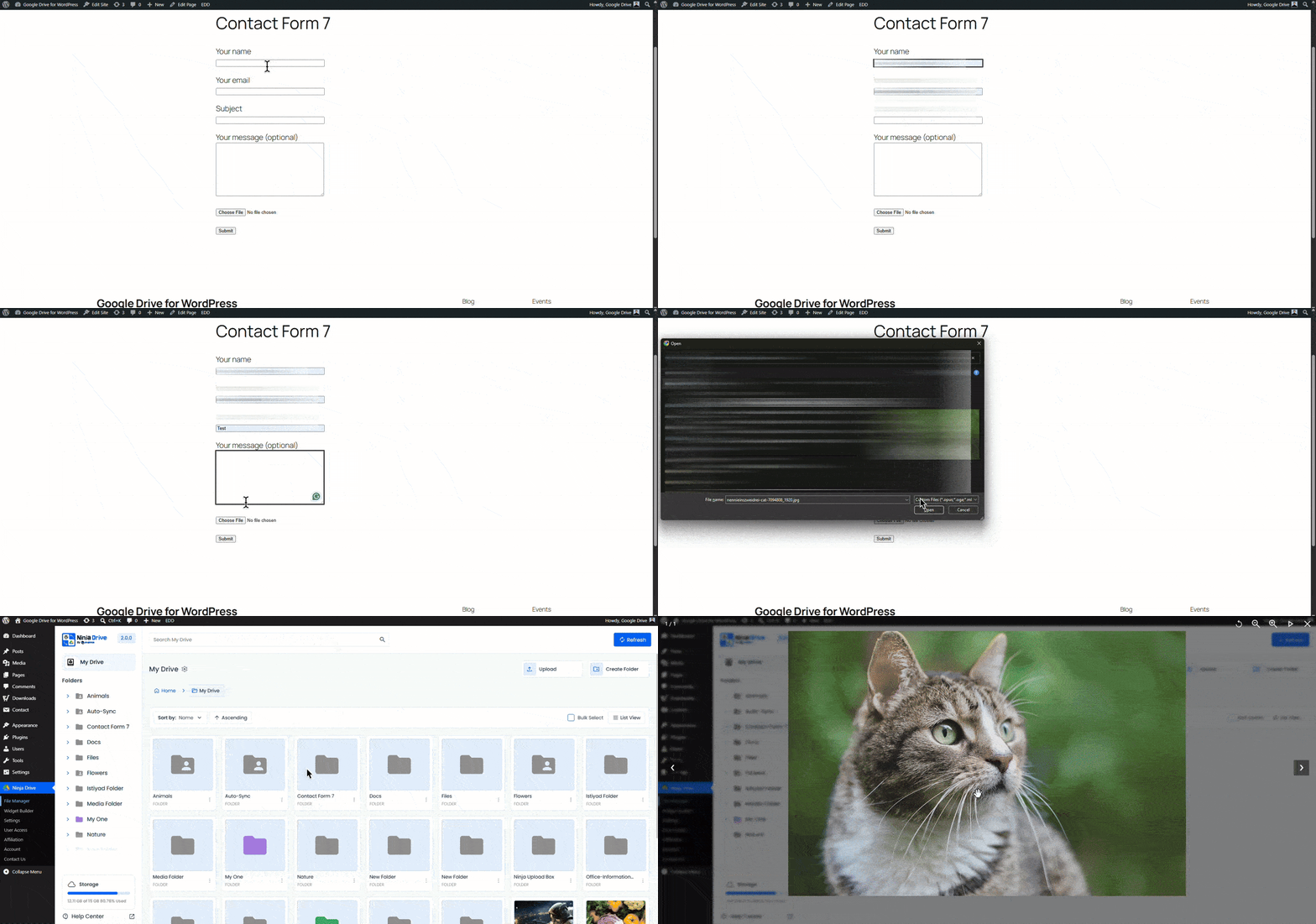
Test the File Upload Form
After publishing the form, visitors can upload files directly through your Contact Form 7 form. Uploaded files will be transferred to the selected Google Drive folder automatically when the form is submitted.
Benefits of Using Google Drive Uploads
- Store uploads directly in Google Drive
- Reduce WordPress server storage usage
- Handle larger file uploads more efficiently
- Keep client and customer submissions organized
- Access uploaded files from anywhere through Google Drive
The Google Drive File Uploader field is ideal for contact forms, job applications, support tickets, project submissions, client onboarding forms, and document collection workflows.

 Join Community