




Managing files inside the default WordPress Media Library becomes frustrating as your website grows. Images, videos, PDFs, icons, and documents all get mixed in one endless list. Finding the right file later can waste a lot of time.
That’s exactly why Ninja Media was built.
In this guide, we’ll answer the most common questions about WordPress media management, explain the problems users face, and show how Ninja Media solves them with a smart folder system.
Why Is the Default WordPress Media Library Difficult to Manage?
What Problems Exist in the Default WordPress Media Library?
The default WordPress Media Library works fine for small websites, but once your site starts growing, several problems appear:
1. No Folder System
WordPress does not provide built-in folders for organizing files. Every image and document stays in one place. This creates problems like:
- Difficulty finding files
- Wasted time scrolling
- Confusing media management
- Duplicate uploads
2. Media Files Become Messy
If you run:
- A blog
- WooCommerce store
- Agency website
- Portfolio
- LMS platform
Your uploads quickly become unorganized. Mixing thousands of images slows the workflow.
3. No Easy File Filtering
Finding:
- Product images
- Client files
- PDFs
- Brand assets
- Blog thumbnails
It can become extremely difficult without categories or folders.
4. Team Collaboration Becomes Hard
When multiple users upload files, the media library becomes cluttered very fast. There’s no proper structure for teams.
How Does Ninja Media Solve These Problems?
What Is Ninja Media?
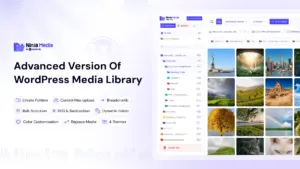
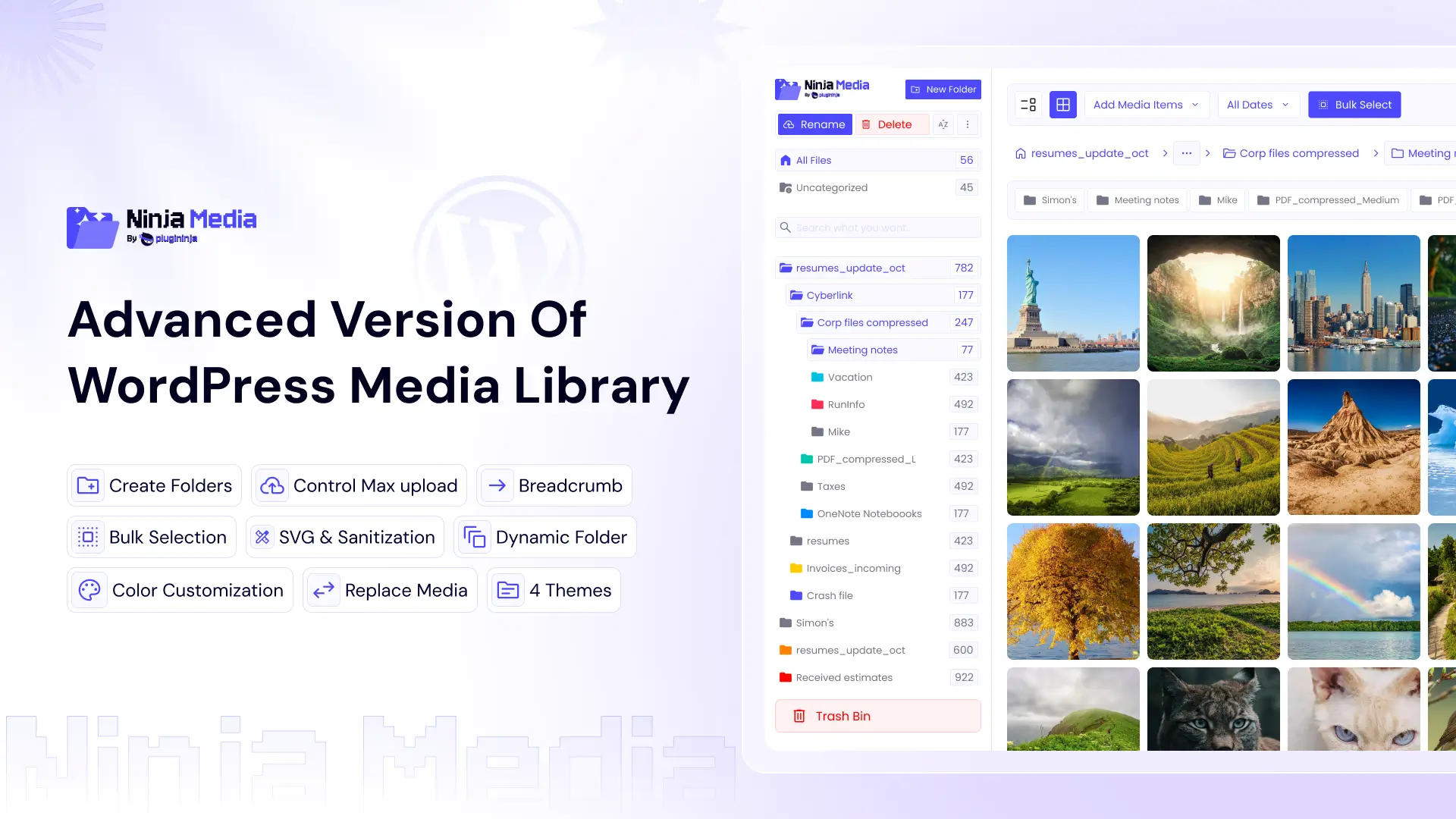
Ninja Media is a powerful WordPress media library plugin that adds a complete folder management system inside your Media Library. It helps organize, manage, search, and control files easily.
How Does the Folder System Work?
Can You Create Media Folders in WordPress?
Yes. With Ninja Media, you can:
- Create unlimited folders
- Organize files by category
- Drag and drop media
- Manage uploads faster
- Keep everything structured
Example folder structure:
- Blog Images
- Product Photos
- Client Assets
- Videos
- PDFs
- Logos
This makes file management significantly easier.
Why Is a Folder System Important for WordPress?
How Does Folder Organization Improve Workflow?
A proper folder system helps you:
- Save Time: Find files instantly instead of searching through hundreds of uploads.
- Reduce Duplicate Uploads: Users can easily locate existing files before uploading again.
- Improve Productivity: Content creators and developers work faster with organized media.
- Keep Large Websites Clean: Perfect for websites with thousands of files.
What Makes Ninja Media Different From Other Media Plugins?
Why Choose Ninja Media?
Here’s what makes Ninja Media stand out.
- Smart Drag & Drop Folder Management
Move files easily between folders. - Fast Media Search
Locate files quickly without endless scrolling. - User-Friendly Interface
Simple design that feels natural inside WordPress. - Better Workflow for Teams
Keep files separated and organized for different projects. - Optimized for Large Websites
Works smoothly even with large media libraries.
How Impactful Is Using Ninja Media?
Does Organizing Media Actually Improve Website Management?
Absolutely. Most WordPress users underestimate how much time they lose managing files.
After organizing media properly, users often notice:
- Faster content publishing
- Cleaner workflow
- Better team collaboration
- Easier website maintenance
- Less frustration managing uploads
For agencies and WooCommerce stores, the impact becomes even bigger.
Who Should Use Ninja Media?
Is Ninja Media Good for Beginners and Professionals?
Yes. It’s useful for:
- Bloggers
- WooCommerce store owners
- Agencies
- Developers
- Course creators
- Photographers
- Content teams
Whether your website has 100 files or 100,000 files, organized folders make everything easier.
Can Ninja Media Help Large WooCommerce Stores?
How Does It Help eCommerce Websites?
WooCommerce stores usually contain:
- Product images
- Banners
- Variation photos
- Downloadable files
Managing all of these manually becomes difficult. It’s helps store owners organize everything into dedicated folders for faster management.
Is Ninja Media Easy to Use?
Do You Need Technical Knowledge?
No. It’s designed for simplicity. You can:
- Install the plugin
- Create folders
- Drag and drop files
- Organize instantly
No coding needed.
What Happens If You Delete the Plugin?
Will Your Media Files Be Lost?
No. Your uploaded media files remain safe inside WordPress even if you uninstall the plugin.
It’s only helps organize and manage your media library structure. Your original uploads stay stored in your WordPress installation.
Final Thoughts
Managing WordPress media without folders becomes difficult as your website grows.
Ninja Media solves this problem by introducing a powerful and user-friendly folder system directly inside the WordPress Media Library.
If you want:
- Better organization
- Faster workflow
- Easier media management
- Cleaner file structure
Then Ninja Media can completely improve the way you manage WordPress uploads.
Ready to Organize Your WordPress Media Library?
Explore Ninja Media and experience a smarter way to manage media files in WordPress.


 Ahanaf Istiyad

 plugininja
 Join Community