





What Is the Ninja Drive – All-in-One Integration for Google Drive?
What Is the Ninja Drive?
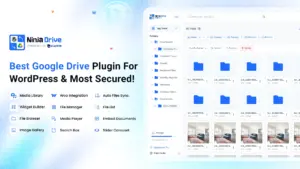
Ninja Drive is a fast, secure, and lightweight WordPress plugin that lets you access and manage your Google Drive files directly from your WordPress admin panel. Browse folders, upload and download files, preview documents, import files into the Media Library, share links, and embed or search your content — all without writing a single line of code.
Security & Performance
Ninja Drive is built with performance and security as first priorities.
- Modern tech stack — built with Redux and TypeScript for a snappy, reliable interface.
- Smart caching reduces API calls and keeps the File Browser fast on every load.
- Encrypted private keys — files are accessed via private keys that are encrypted at rest. Even if a key is scraped, it is unreadable and cannot be decoded, making unauthorized access virtually impossible.
File Browser
The File Browser is the core feature of Ninja Drive. It is built directly into your WordPress dashboard and gives you full control over your Google Drive files.
With the File Browser, you can:
- Navigate all your Google Drive folders and files
- Search files instantly with real-time filtering
- Upload new files to Google Drive from WordPress
- Download documents directly to your local machine
- Preview PDFs, documents, forms, and spreadsheets inline
- Share links with configurable access permissions
- Rename, move, or delete files with a single click
The interface supports light and dark mode, drag-and-drop uploads, and instant updates with no page reloads.
Connection Modes
Ninja Drive offers two ways to link your Google account, so you can choose what suits your setup.
Automatic Mode
Sign in using Ninja Drive’s built-in Google App. No configuration required — connect in seconds.
Manual Mode
Create and link your own Google App for full control over credentials, OAuth scopes, and permissions. Recommended for agencies and developers who manage multiple client sites.
Account Dashboard
The Account Dashboard gives you a clear overview of all connected Google accounts.
- View all connected accounts in one place
- Monitor storage usage per account
- Add multiple Google Drive accounts to manage different drives from one WordPress site
- Remove accounts with a single click
Settings
Ninja Drive’s Settings panel gives you control over every aspect of the plugin.
Accounts
Add or remove Google Drive accounts at any time.
Appearance
Customize the File Browser UI with color selectors and preloader styles that match your brand.
Integrations
Coming soon: Gutenberg, Classic Editor, Elementor, WooCommerce, Tutor LMS, MasterStudy LMS, and Contact Form 7 support.
Tools
Export or import your plugin settings, enable auto-save, clear the cache, or reset everything back to default.
Privacy & Permissions
When you connect a Google account, Ninja Drive requests only the minimum OAuth scopes needed to operate — such as https://www.googleapis.com/auth/drive for file access and management.
- All authorization tokens are stored securely and encrypted on your own server
- Ninja Drive does not collect or transmit your personal data to any third-party service
- Full compliance with user privacy best practices
Why Ninja Drive?
- No coding skills required — install, connect, and browse
- Lightning-fast performance with advanced caching
- Encrypted keys and secure token storage
- Fully customizable UI with dark mode support
- Multi-account support from a single WordPress site
- Powerful integrations coming soon
Getting Started
- Install and activate Ninja Drive from the WordPress plugin dashboard or upload the ZIP directly.
- Go to Ninja Drive → Accounts in your WordPress admin.
- Choose Automatic or Manual connection mode.
- Authorize your Google account.
- Open the File Browser and start managing your Google Drive files.

 Join Community