






How to Send WPForms File Uploads to Google Drive with Ninja Drive?
Ninja Drive integrates with WPForms to automatically send uploaded files directly to your Google Drive account. This removes the need to store files on your WordPress server and helps you keep everything organized in the cloud. so let’s see how to send WPForms File Uploads to Google Drive.
It’s a great solution for contact forms, job applications, quotation requests, support tickets, and any form that collects file uploads.
Enable WPForms Integration
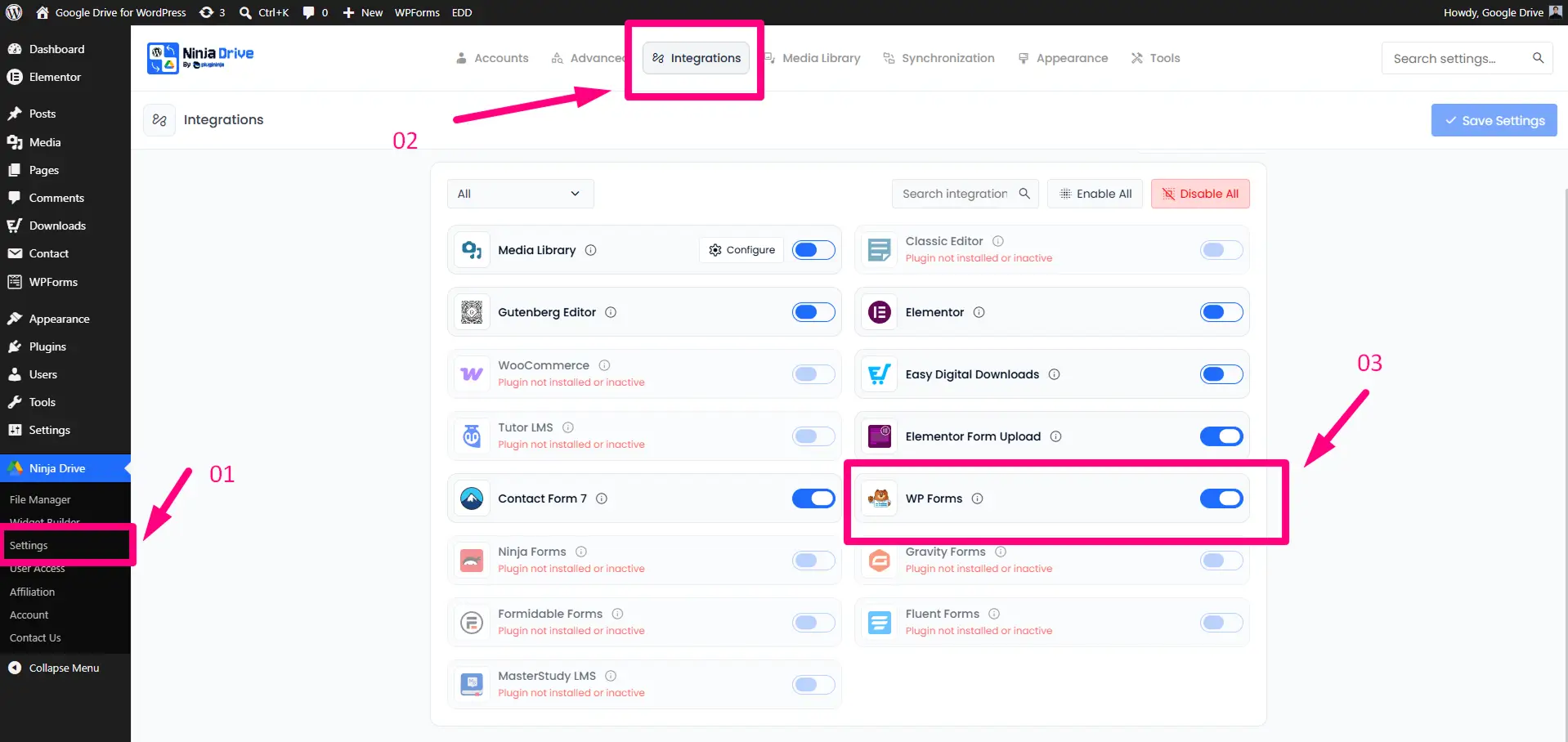
- Go to Ninja Drive → Settings from your WordPress dashboard.
- Open the Integrations tab.
- Enable WPForms Integration.
- Click Save Changes.
Connect WPForms Uploads to Google Drive
Once the integration is active, you can map WPForms file upload fields to Google Drive in just a few steps.
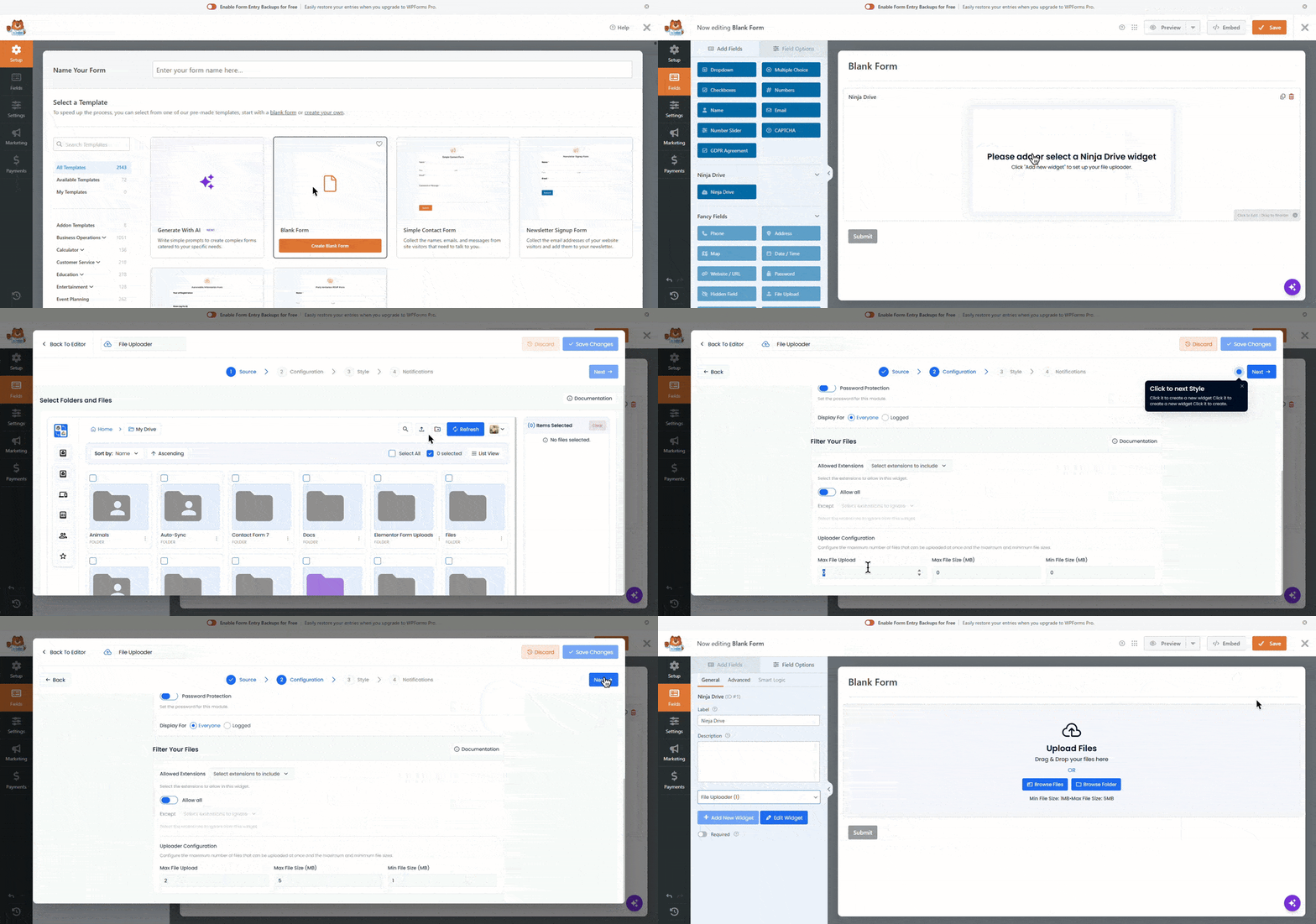
- Add a new WPForms form or edit an existing one.
- Add or select the Ninja Drive field in your form.
- Click the Add New Widget button.
- Configure your uploader just like the default Ninja Drive File Uploader.
- Select the destination folder from your connected Google Drive account.
- Open the Configuration tab and customize the uploader settings.
- Optionally set the minimum and maximum file size limits.
- Open the Style tab to customize the uploader’s height, width, and other design settings.
- Open the Notification tab and enable notifications if required.
- Save your form settings.
- Embed the form on any page or post.
Test the File Upload
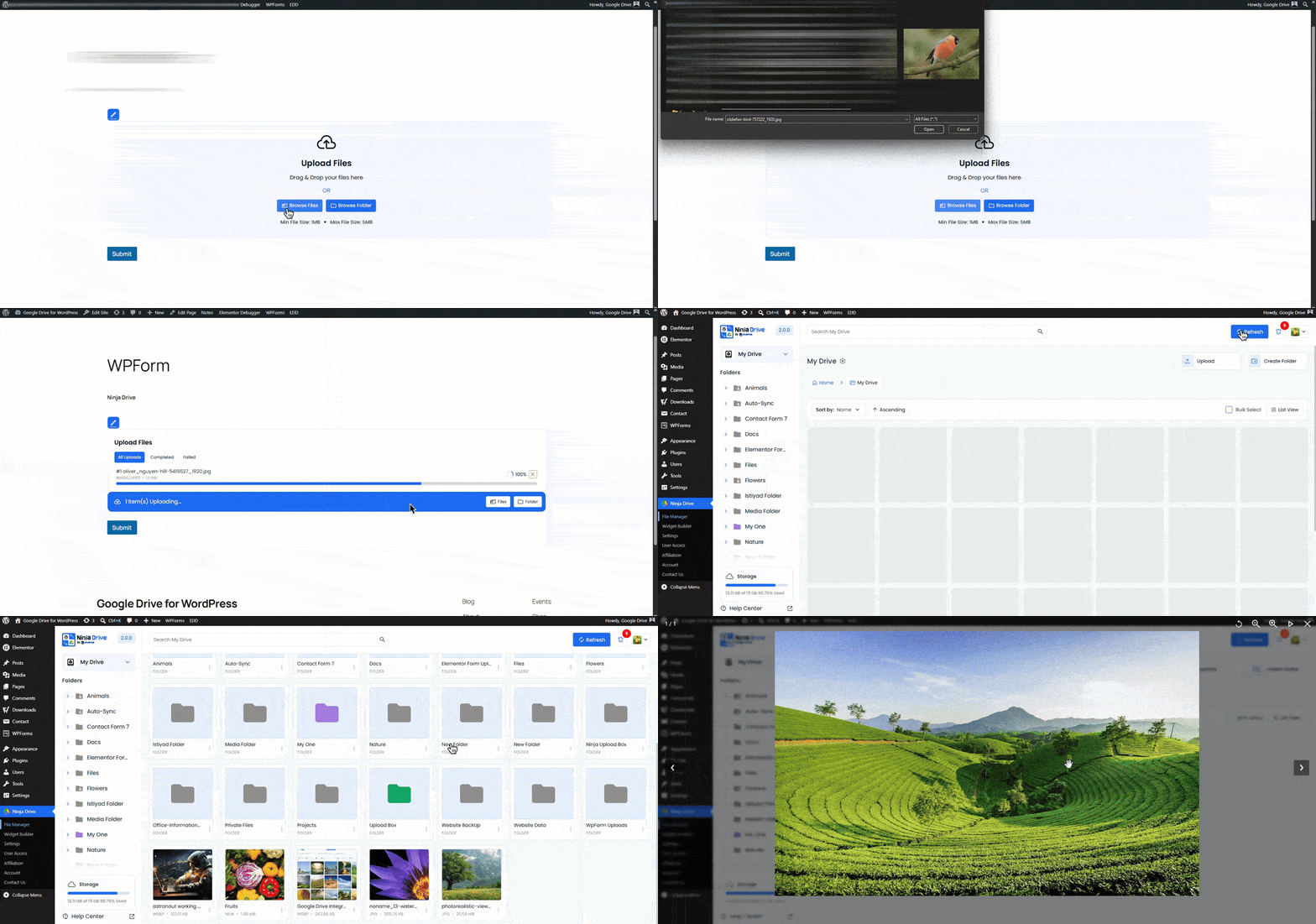
After publishing your form, submit a test entry with a file upload. Ninja Drive will automatically transfer the uploaded file to your selected Google Drive folder.
You can then access and manage all uploaded files directly from Google Drive without needing to log into WordPress.
Benefits of Using Google Drive with WPForms
- Store form uploads directly in Google Drive
- Reduce WordPress server storage usage
- Improve file organization and accessibility
- Handle large file uploads more efficiently
- Secure cloud-based storage for submissions
Ideal for contact forms, job applications, lead capture forms, file submission forms, and client onboarding workflows using WPForms.

 Join Community