




How to Enable Dark Mode in Ninja Drive?
Enabling dark mode in Ninja Drive is quick and easy. With a single click, you can switch to a modern dark interface that is easier on the eyes and provides a cleaner workspace while managing your cloud files.
Steps to Enable Dark Mode
- Navigate to Ninja Drive from your WordPress dashboard.
- Go to the Settings => Appearance page.
- You will find the Theme style, select the Dark mode from here.
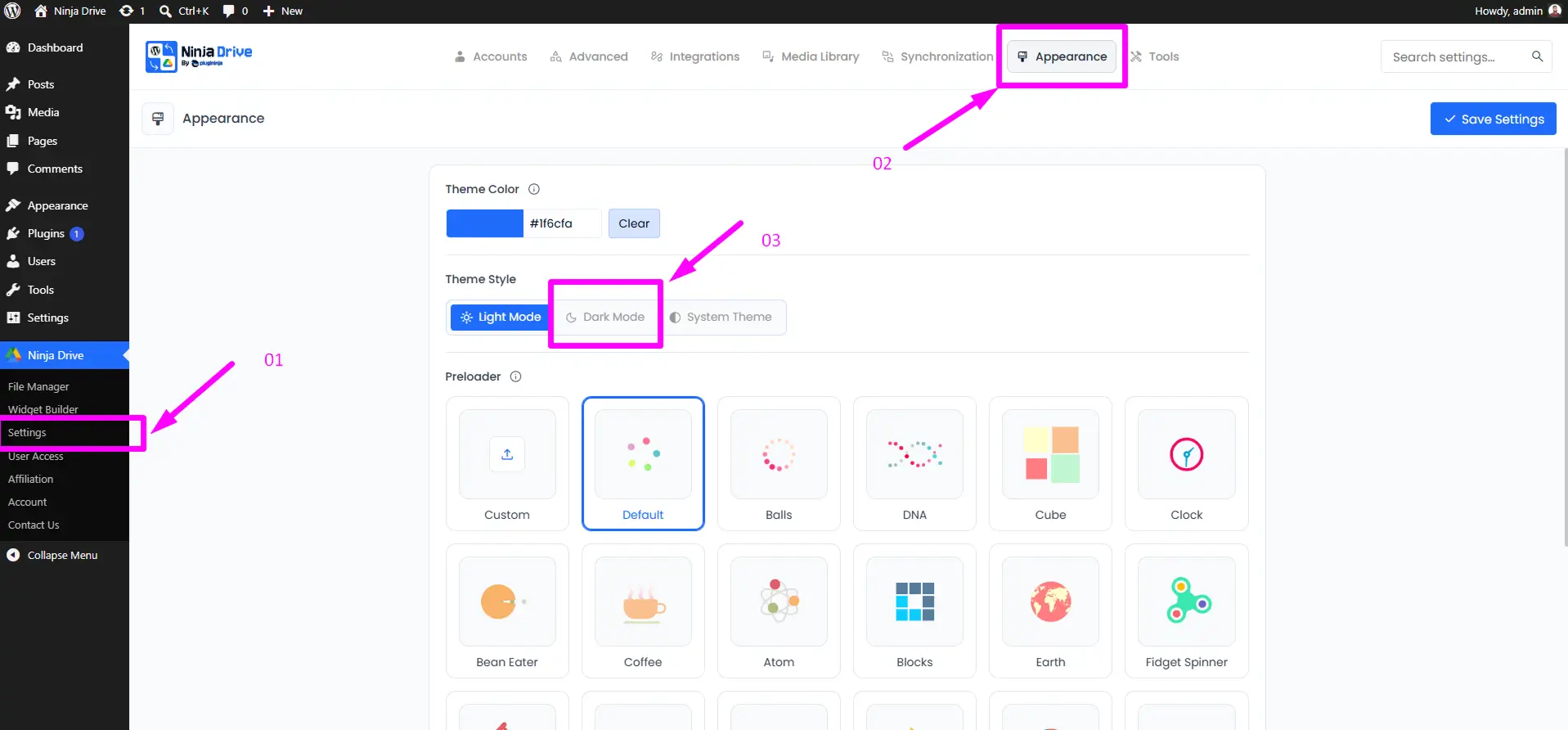
That’s all! Ninja Drive will immediately apply the dark theme across the dashboard, creating a more comfortable and distraction-free file management experience.
Need Ninja Drive on your website? Get Started Now

 Join Community