




Ninja Drive File Manager – Feature Overview
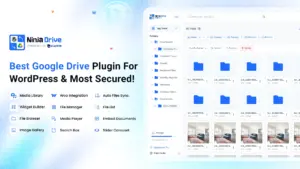
The File Manager in the Ninja Drive plugin offers a powerful and intuitive way to manage your Google Drive files directly from the WordPress dashboard. It provides a complete file management experience, allowing you to upload, move, rename, share, preview, sort, and search files without leaving your website.
1. Navigation & Layout
- My Drive – Access your personal Google Drive files.
- Computers – View and manage files synced from connected computers.
- Shared Drives – Access files from shared drives.
- Shared with Me – Browse files shared with your account.
- Starred – Quickly access your favorite or most important files.
- Breadcrumb Navigation – Easily track and switch between folder paths.
- Bulk Select – Select multiple files/folders for mass actions.
- List / Grid View – Toggle between list and grid layouts.
2. File & Folder Actions
Right-click or use the menu on each file/folder to access these options:
For Folders
- Open in Google Drive
- View Details
- Share (with password protection & link validity options)
- Move
- Rename
- Delete
For Files
- Preview
- Open in Google Drive
- View Details
- Share (with password protection & link validity options)
- Download as (MS Word, HTML, Text, PDF, Open Office, ZIP)
- Import to Media Library
- Move / Copy
- Rename
- Delete
3. File Uploading
- Upload Button – Select files or folders to upload.
- Drag & Drop – Drag files/folders directly into the browser.
- Max File Size – Supports uploads up to 10GB.
4. Sorting Options
Sort files by:
- Name
- Size
- Created At
- Updated At
Each option supports ascending or descending order.
5. Moving Files/Folders
- Select Move from the action menu.
- Choose the destination folder from the pop-up directory tree.
- Click Move to confirm.
6. File Sharing & Protection
- Enable Password Protection to secure shared links.
- Set Link Validity:
- 1 Hour
- 5 Hours
- 1 Day
- 1 Week
- 1 Month
- 1 Year
- Permanent
- Custom Expiry
- Generate share link instantly.
7. Multi-File Selection
- Use Bulk Select to choose multiple files/folders.
- Perform actions like delete, move, or share in bulk.
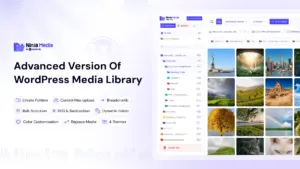
8. Image & Media Management
- Bulk select images for moving or deleting.
9. Search Function
The File Manager includes a powerful Search Feature with customizable parameters:
- Search Location:
- Server – Search in live Google Drive.
- Cache – Search from cached data for faster results.
- Search Scope:
- Global – Search entire Google Drive.
- Current Folder – Limit results to the folder you’re currently in.
10. Refresh & Dark Mode
- Refresh Button – Reloads the file list to reflect the latest changes.
- Dark Mode Toggle – Switch between light and dark interface themes.
✅ With these features, the Ninja Drive File Manager eliminates the need to switch between WordPress and Google Drive, enabling faster content management and better workflow efficiency.

 Join Community