





Ninja Media Installation Guide
How to Install Ninja Media in WordPress
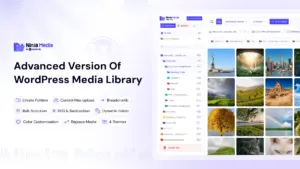
Ninja Media is a powerful WordPress media library plugin that helps you organize media files with folders, drag-and-drop management, smart searching, and advanced media controls.
Install Ninja Media
- Download the Ninja Media plugin ZIP file. Or
- Go to your WordPress Dashboard → Plugins → Add New Plugin
- Search Plugininja Ninja Media
- Click Install Now
- Activate the plugin
Start Using Ninja Media
After activation:
- Go to Media → Library
- Create folders for your media files
- Organize files using drag and drop
Features Included
- Advanced media folders
- Smart folder search
- Color-coded folders
- Media file replacement
- SVG upload support
- Folder download
- Breadcrumb navigation
- Cloud storage integration
- And more
Ninja Media makes WordPress media management faster, cleaner, and more organized for websites of any size.

 Join Community