





How to Upgrade to Ninja Media PRO
Upgrading to Ninja Media PRO unlocks advanced media management features, smarter organization tools, premium support, and more powerful controls for your WordPress media library.
Step 1: Choose a Pricing Plan
After clicking the upgrade button, you will be redirected to the pricing page.
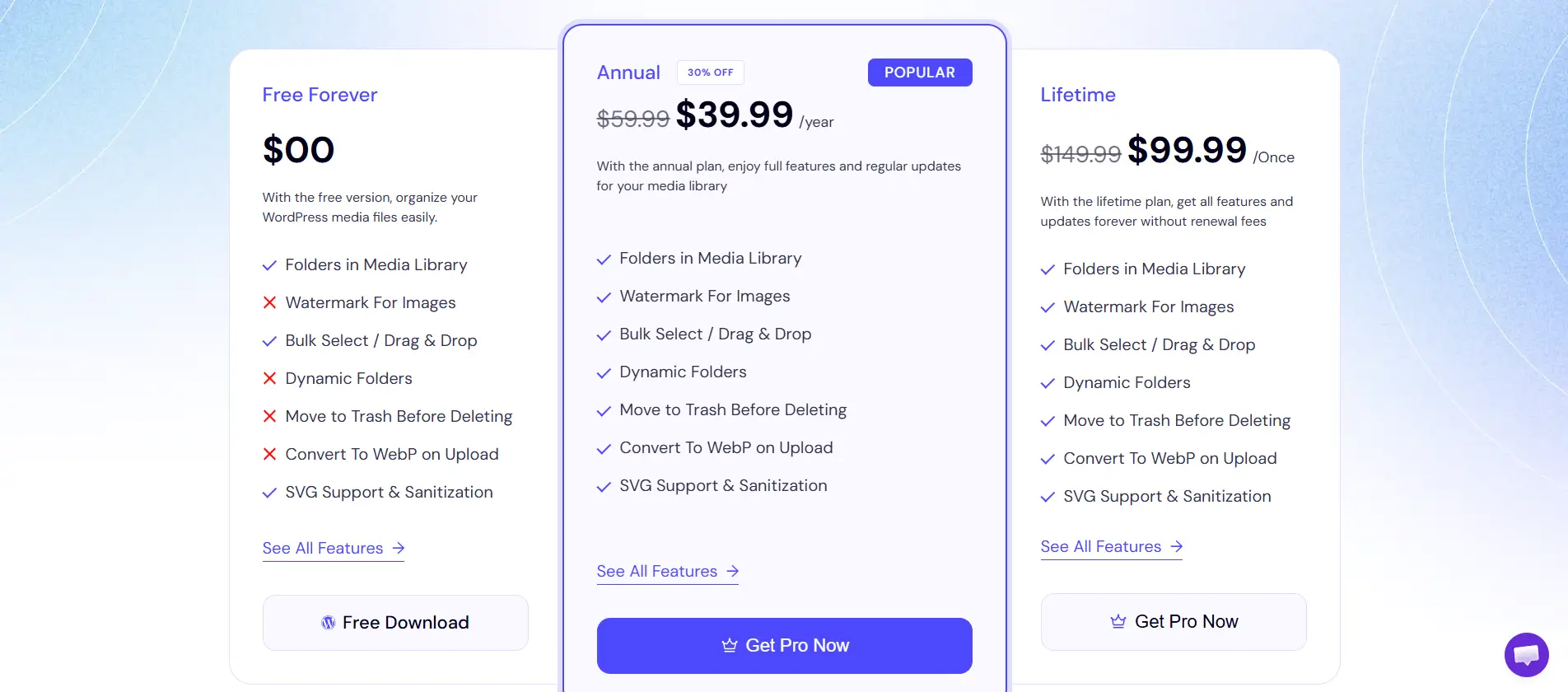
- Select the plan that fits your needs
- Annual Plan
- Lifetime Plan
- Click Upgrade Now
Step 2: Enter Your Details
Complete your purchase by entering:
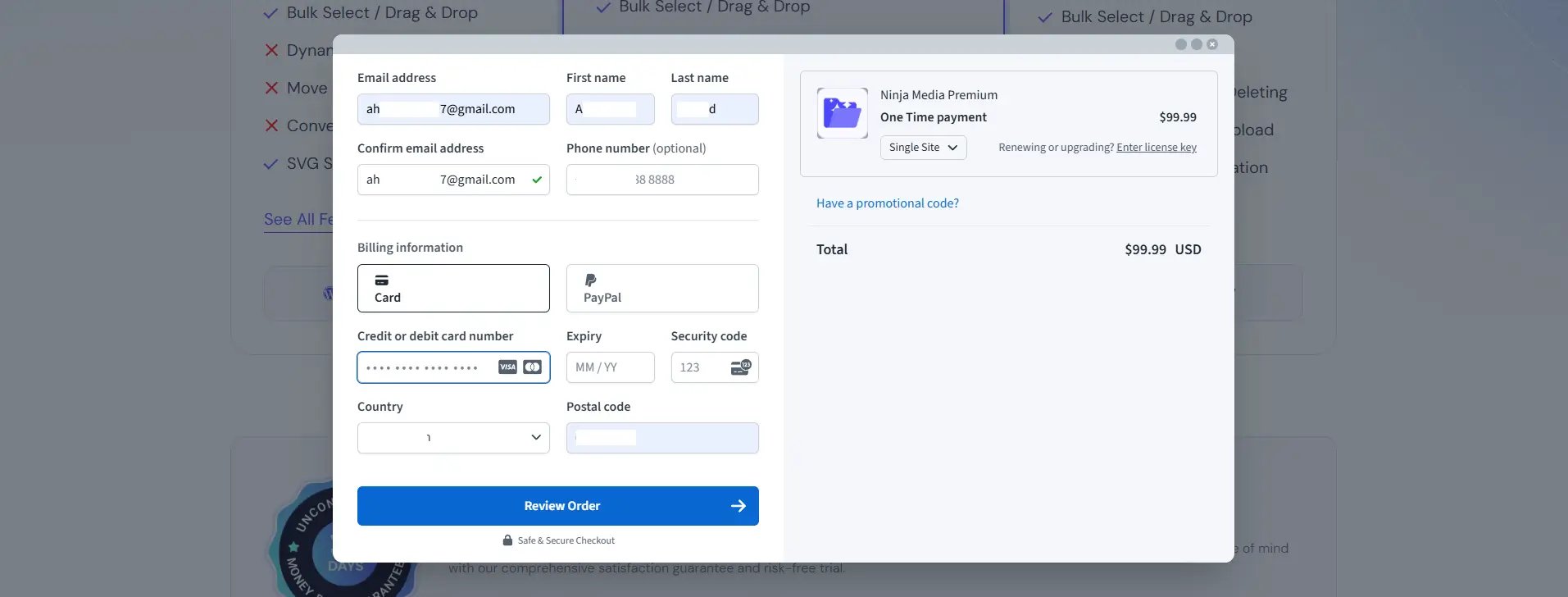
- Account information
- Billing details
- Payment method (Credit Card or PayPal)
After filling in your information:
- Click Review Order
- Complete the payment process
Verify Account Details: After payment, you will be redirected to your account page, where you can review your purchase and account information.
Step 3: Check Your Email
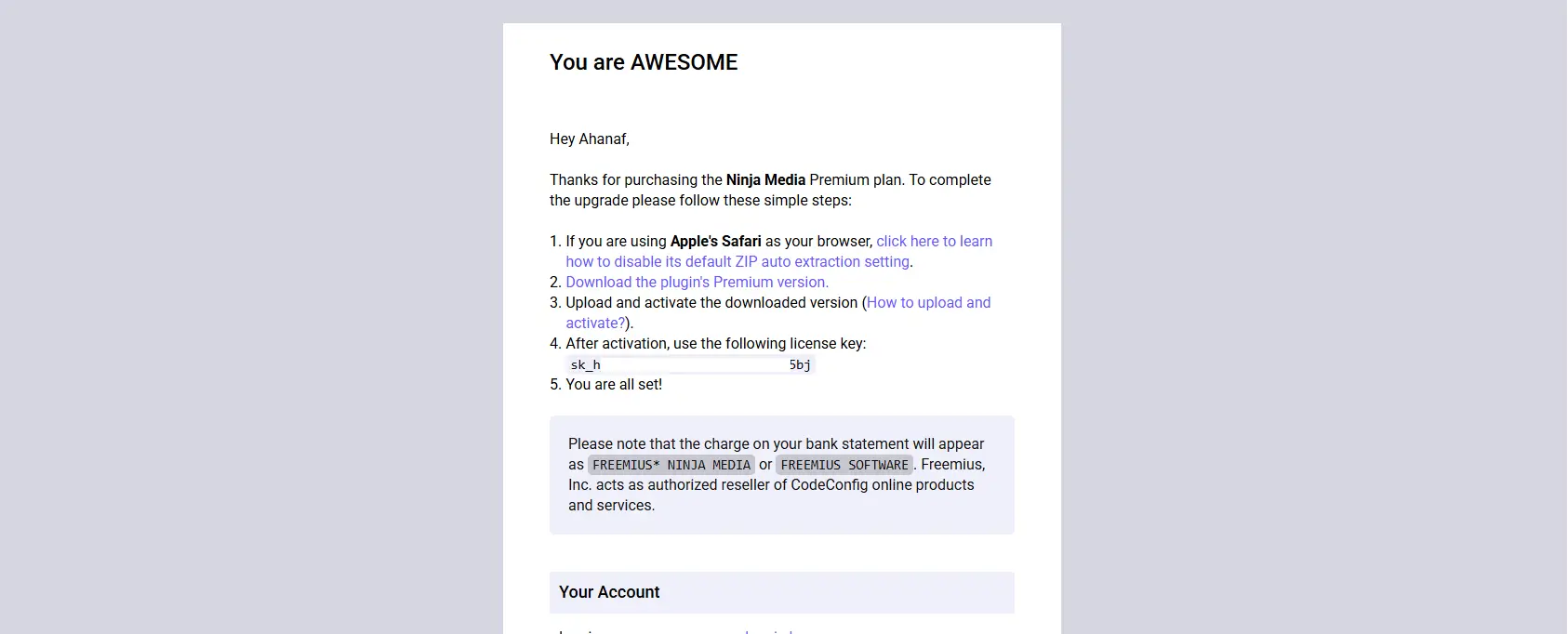
You will receive a confirmation email containing:
- Ninja Media PRO download link
- Your license key
- Purchase and account details
Download the Ninja Media PRO ZIP file from the email.
Step 4: Install & Activate the License Of Ninja Media PRO
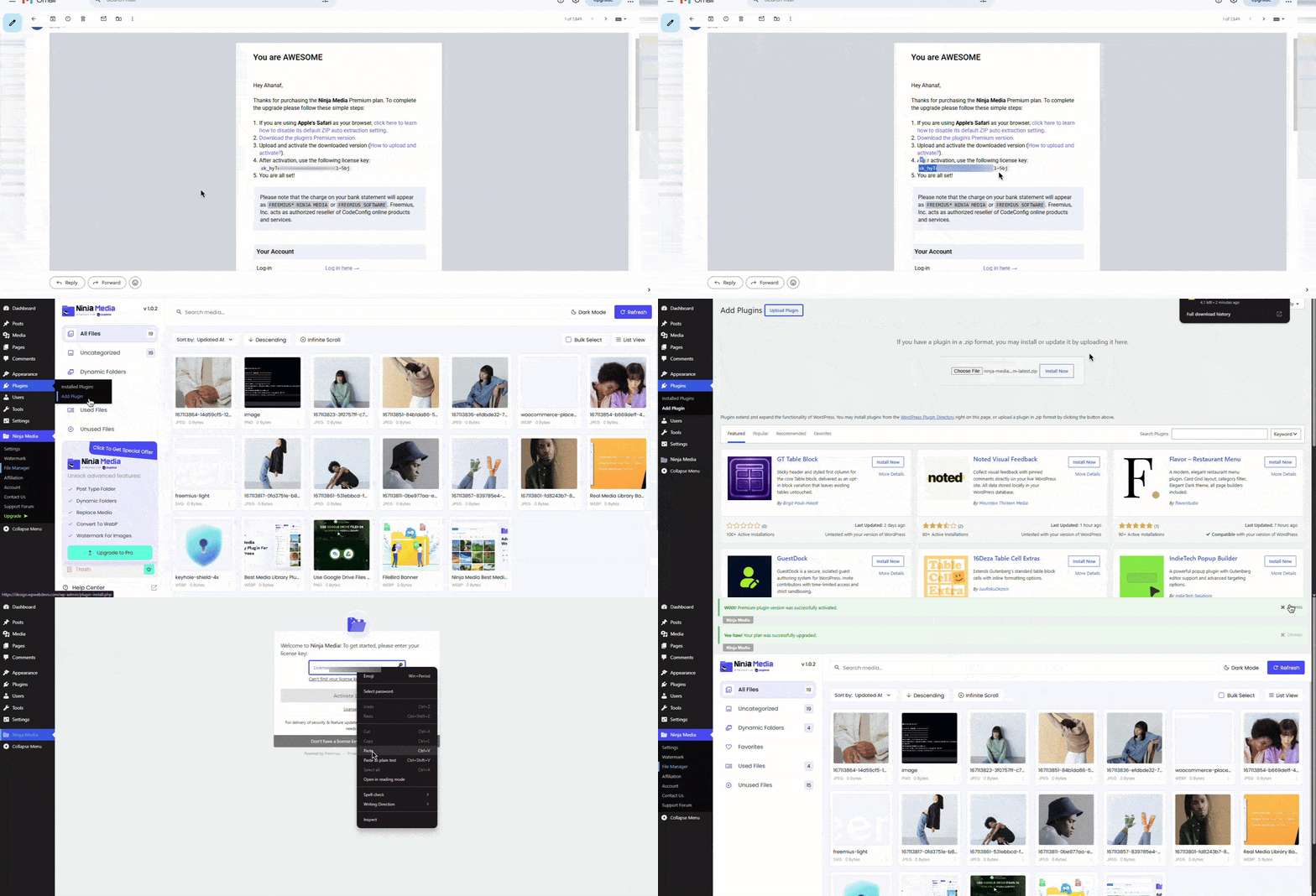
- Go to Plugins → Add New Plugin
- Click Upload Plugin
- Select the downloaded ZIP file
- Click Install Now
- Activate the plugin
- Then a license input pop-up will appear.
- Enter your license and click activate.
That’s it! You have successfully upgraded to Ninja Media PRO and unlocked all premium features.

 Join Community