




Managing Files Across Two Platforms is Killing Your Productivity
If you’re managing a WordPress site AND Google Drive, you already know the pain. You upload files to Drive, manually copy links, paste them into WordPress, update pages every time something changes, and hope your clients figure out what they’re supposed to do with a raw Drive folder link.
There’s a better way. The right Google Drive plugin can turn your WordPress site into a native Drive experience — one where files sync in real-time, access is controlled, galleries are beautiful, and uploads flow directly to your Drive without touching your server.
We tested 5 major Google Drive plugins across 15+ different criteria. Here’s what we found — and why one clearly stands above the rest. Let’s find the best Google Drive plugin for WordPress
Why Integrate Google Drive With WordPress?
Google Drive has 2+ billion users, and 45,000+ U.S. companies rely on it for file storage. Yet most WordPress sites still treat Drive and WordPress as separate worlds.
The Real Benefits:
- No Server Storage Overhead: Files live in Google’s infrastructure, not on your hosting account. Your backups stay fast, your server stays lean.
- Real-Time Updates: Change a file in Drive, it updates on your site instantly. No re-uploading, no manual refreshes.
- Professional Client Experience: Branded file portals instead of raw Drive links. Your clients see polish, not confusion.
- Flexible Access Control: Gate content by user role, login status, or password. Employees see one set of files, customers see another.
- Scalability Without Limits: Serve thousands of files without hitting WordPress upload limits or media library slowdowns.
- Free Storage You Already Have: Google Drive’s free tier gives you 15GB. Why pay for hosting when you’ve already got this?
Key Features to Look For in a Google Drive Plugin
Not all Google Drive plugins are created equal. When evaluating options, prioritize these must-haves:
Essential Features:
- Full File Management: Upload, download, rename, move, copy, delete, and share — all from WordPress.
- Advanced Widgets: File browser, gallery, embed, uploader, media player. Versatility matters.
- Access Control: Role-based permissions, login gating, password protection.
- Page Builder Integration: Gutenberg blocks, Elementor widgets, Classic Editor support.
- Security: OAuth 2.0, encrypted HTTPS, no credentials exposed.
- Performance: Caching, pagination, responsive design. Fast on mobile and desktop.
- Support & Community: Active development, responsive help, regular updates.
Top 5 Google Drive Plugins for WordPress
🏆 #1 Ninja Drive — THE CLEAR WINNER
The Complete Google Drive Solution for WordPress
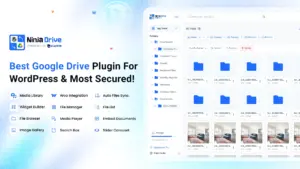
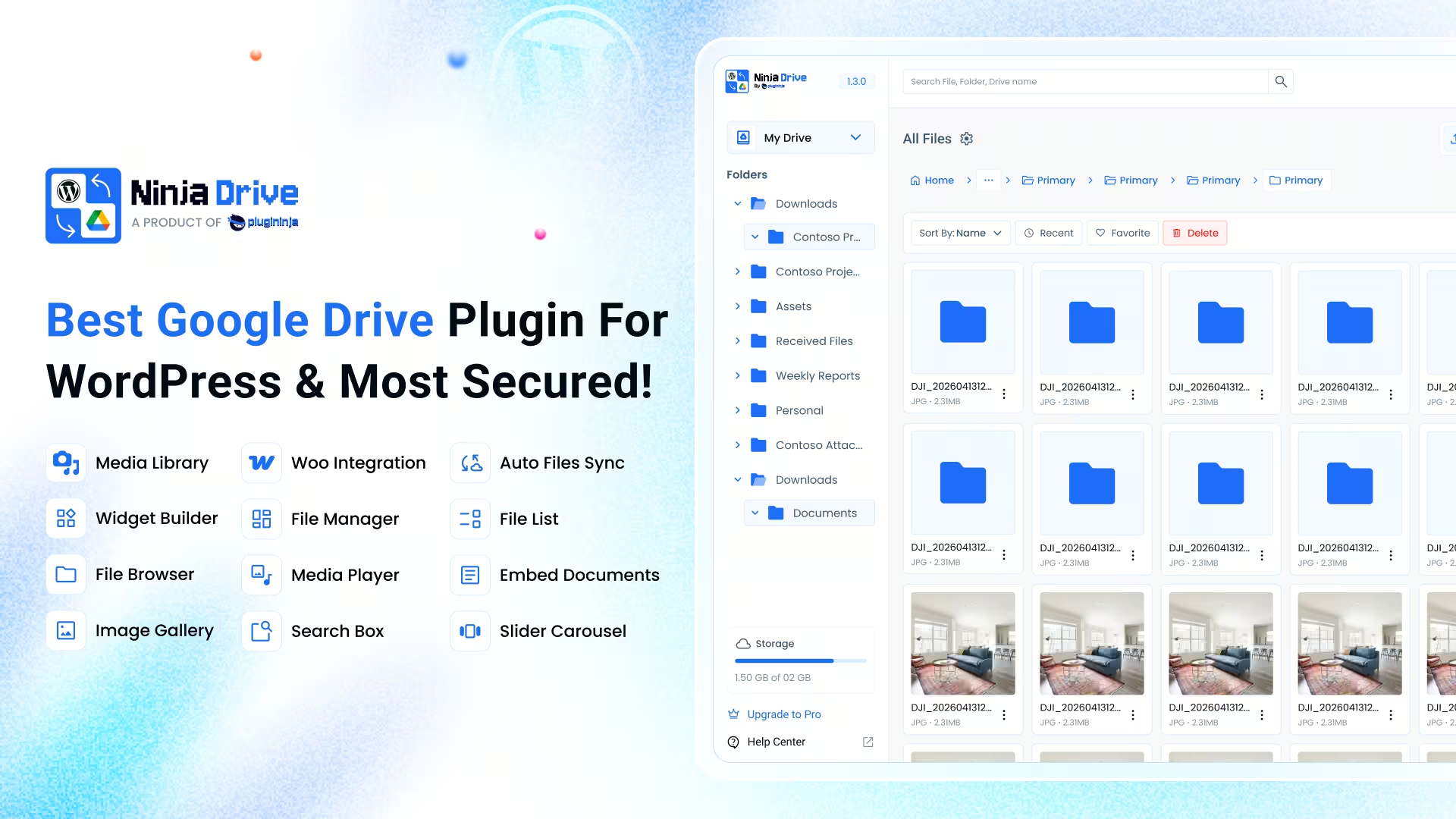
Ninja Drive is a WordPress plugin that brings your entire Google Drive experience directly into your WordPress dashboard. It’s not just an embed tool — it’s a full file management and content delivery platform powered by Plugininja, living natively inside WordPress.
Why It Wins:
- Full-featured file manager inside WordPress (upload, rename, move, copy, delete, share)
- Advanced search with real-time filtering by name, type, or folder
- Intelligent caching and pagination for fast browsing even with thousands of files
- 8 purpose-built Gutenberg blocks for drag-and-drop building
- Full Elementor widget support for visual builders
- 8 powerful widget types: File Browser, Gallery, Embed, Uploader, File list, Search box, and Slider Carousel.
- Role-based access control by WordPress user role.
- Login-gated content for private file libraries.
- Password protection for client portals.
- Responsive design that works perfectly on mobile and desktop.
- Server-free file serving (zero bytes stored on your server).
- Auto-save settings and zero lost configurations.
- Works with Classic Editor via native “Google Drive” button.
- Shortcode builder for non-block deployments.
Pros:
- Most comprehensive feature set
- Easiest setup (5-minute OAuth)
- Zero performance impact outside of Drive Widgets
- Best mobile optimization
- Full visual customization (colors, layouts, styles)
- No file duplication or server bloat
- Best documentation and support
- Most actively maintained
Cons:
- Free version has basic features
- Pro features require paid plan
- Learning curve for advanced customization
🎁 GIFT: If you decide to purchase this plugin, then we have a gift for you with FLAT 50% OFF. Use it now, it’s not for all time. Code: NINJAFLAT50
#2 Use Your Drive
Popular CodeCanyon Premium Option
Use Your Drive is a paid premium plugin available exclusively on CodeCanyon. It focuses on file browsing, gallery displays, and basic uploads.
Features:
- File browsing and folder navigation
- Gallery display with image optimization
- File upload capability
- Basic search functionality
- Shortcode support
Pros:
- Dedicated premium support
- Established with a large user base
- Gallery features are solid
Cons:
- Premium only (no free tier)
- Fewer features than Ninja Drive
- No file manager in WordPress admin
- Limited access control options
- Not on WordPress.org (less transparent)
#3 Embed Any Document Plus
Simple Document Embedding Focus
A lightweight plugin designed specifically for embedding PDFs, Word documents, PowerPoint files, and Excel spreadsheets using Google Docs Viewer and Microsoft Office Online Viewer.
Features:
- PDF embedding
- Office document viewing (Word, Excel, PowerPoint)
- Gutenberg and Classic Editor support
- Download link option
- Google Docs Viewer integration
Pros:
- Very lightweight
- Simple to use
- Good for document embedding
- Available on WordPress.org
Cons:
- Embed-only (no file management)
- No upload functionality
- No access control
- Limited to document types
- No gallery or advanced widgets
#4 Image and Video Gallery from Google Drive
Folder-Based Gallery Focus
A free plugin that displays Google Drive folders as responsive galleries with support for images and videos. Includes Gutenberg block support.
Features:
- Folder to gallery conversion
- Image and video support
- Nested gallery support
- Shared drive support
- Gutenberg blocks
- Shortcode support
Pros:
- Completely free
- Simple gallery creation
- Good for photographers
Cons:
- Gallery-only focus
- No file manager
- No upload functionality
- Minimal access control
- Limited customization
#5 Media Library Folders
WordPress Media Library Organization
Adds folder management to the WordPress media library itself, letting you organize native media with better folder structure.
Features:
- Media library folder creation
- File/folder moving and copying
- SEO image optimization
- Sync features
- Private folder support
Pros:
- Works within WordPress
- SEO features included
- Smooth syncing
Cons:
- Not a Drive integration (local only)
- Doesn’t serve files from Drive
- No cloud storage benefit
- Files still consume server space
Feature Comparison Table
| Feature | Ninja Drive | Use Your Drive | Embed Any Doc | Gallery | Media Folders |
|---|---|---|---|---|---|
| File Manager in Admin | ✅ Yes | ❌ No | ❌ No | ❌ No | ✅ Yes |
| Full File Operations | ✅ All 7 | ⚠️ Limited | ❌ No | ❌ No | ⚠️ Basic |
| Advanced Search | ✅ Real-Time | ✅ Yes | ❌ No | ❌ No | ✅ Yes |
| File Browser Widget | ✅ Yes | ✅ Yes | ❌ No | ❌ No | ❌ No |
| Gallery Widget | ✅ Advanced | ✅ Yes | ❌ No | ✅ Yes | ❌ No |
| Document Embed | ✅ Yes | ✅ Yes | ✅ Yes | ❌ No | ❌ No |
| File Uploader | ✅ Yes | ✅ Yes | ❌ No | ❌ No | ❌ No |
| Media Player Widget | ✅ Yes | ❌ No | ❌ No | ❌ No | ❌ No |
| Gutenberg Blocks | ✅ 8 Blocks | ⚠️ Limited | ✅ Yes | ✅ 5+ Blocks | ❌ No |
| Elementor Widgets | ✅ 8 Widgets | ❌ No | ❌ No | ❌ No | ❌ No |
| Role-Based Access | ✅ Yes | ⚠️ Limited | ❌ No | ❌ No | ✅ Yes |
| Login Gating | ✅ Yes | ❌ No | ❌ No | ❌ No | ❌ No |
| Password Protection | ✅ Yes | ❌ No | ❌ No | ❌ No | ❌ No |
| REST API | ✅ Full | ❌ No | ❌ No | ❌ No | ❌ No |
| Visual Customization | ✅ Full | ⚠️ Limited | ⚠️ Limited | ⚠️ Basic | ⚠️ Basic |
| Mobile Responsive | ✅ Perfect | ✅ Good | ✅ Good | ✅ Good | ✅ Good |
| Zero Server Storage | ✅ Yes | ✅ Yes | ✅ Yes | ✅ Yes | ❌ No |
| OAuth 2.0 Security | ✅ Yes | ✅ Yes | ✅ Yes | ✅ Yes | ❌ N/A |
| Free Version | ✅ Yes | ❌ Premium Only | ✅ Yes | ✅ Yes | ✅ Yes |
| WordPress.org Listed | ✅ Yes | ❌ No | ✅ Yes | ✅ Yes | ✅ Yes |
| Open Source | ✅ Yes | ❌ No | ✅ Yes | ✅ Yes | ❌ No |
Pricing Breakdown
| Plugin | Free Version | Pro Version | Value |
|---|---|---|---|
| Ninja Drive | Full file browser & gallery | Advanced features & priority support at only 99.99/lifetime | Best value |
| Use Your Drive | None (Premium Only) | $35-$249/year | Premium cost upfront |
| Embed Any Document | Core embedding | Pro features available | Good for documents |
| Image & Video Gallery | Completely free | N/A | Free but limited |
| Media Library Folders | Basic folders | Pro features | Local storage focused |
🎁 GIFT: If you decide to purchase this plugin, then we have a gift for you with FLAT 50% OFF. Use it now, it’s not for all time. Code: NINJAFLAT50
The Winner: Why Ninja Drive is the Best Choice
Ninja Drive Wins on Every Criterion
After testing 5 plugins across 20+ features, Ninja Drive is the clear winner.
- Most Comprehensive Feature Set: No other plugin matches Ninja Drive’s combination of file management, widgets, access control, and customization. You get everything from a basic file browser to advanced client portals in one plugin.
- Easiest Setup: 5-minute OAuth connection. No complex Google Cloud configuration (though it’s available for advanced users). You’re browsing Drive files in WordPress before you finish your coffee.
- Best Mobile Experience: Every widget is perfectly responsive. Your file galleries, upload forms, and browsers work flawlessly on phones and tablets — the others lag here.
- Zero Performance Impact: Plugin logic only fires on pages where you use it. Your site’s speed stays exactly the same on pages without Drive content.
- Best for Scaling: Intelligent caching, pagination, and REST API make it the only choice for handling thousands of files without slowdowns.
- Open Source & No Lock-In: Full source code on GitHub. Your data stays in your Google Drive. Stop using the plugin tomorrow, and nothing changes.
- Best Value: The free version has substantial features. Pro plan adds advanced capabilities without the annual commitment of competitors.
When to Choose the Alternatives
- Use Your Drive: Only if you specifically need CodeCanyon premium support and don’t mind paying upfront.
- Embed Any Document: Only if you need document-only embedding and nothing else.
- Image & Video Gallery: Only if your sole use case is displaying photo galleries and you want zero cost.
- Media Library Folders: Only if you’re keeping files on your server (defeats the purpose of the Drive integration).
Frequently Asked Questions
How long does it take to set up Ninja Drive?
About 5 minutes total. Install the plugin, click “Connect Google Account,” approve permissions, and you’re done. Everything else is optional configuration.
Do files get copied to my WordPress server?
No. All files stay in Google Drive. Ninja Drive streams or embeds them directly from Google’s infrastructure. Your server stores zero bytes of file content — just metadata and widget configurations.
Is the connection secure?
Very secure. Ninja Drive uses OAuth 2.0 for authentication, encrypted HTTPS for all data transfers, and never stores your Google account credentials or exposes file IDs in HTML source. Your data is as secure as Google Drive itself.
Can I control who sees what files?
Yes, fully. Restrict access by WordPress user role, login status only, or password per widget. Different user groups see completely different files on the same page.
Can visitors upload files directly to my Drive?
Yes. Use the File Uploader widget to let visitors (or only logged-in users) upload directly to a specific Drive folder. Files are organized exactly how you want, without you having to touch them.
Does it work with Elementor and Gutenberg?
Yes, completely. 8 Gutenberg blocks for block-based editors and full Elementor widget support for visual builders. Drag, drop, configure, done.
What happens if I stop using Ninja Drive?
Your files stay in Google Drive. No data loss, no lock-in. All your files are exactly where they were. You can export any configurations or just deactivate the plugin. Complete ownership of your data.
Can I use my own Google Cloud credentials?
Yes. Ninja Drive supports custom OAuth apps. Go to Settings → Own App and enter your Client ID and Client Secret from Google Cloud Console. Recommended for agencies managing multiple client sites.
Ready to Simplify Your File Management?
Ninja Drive transforms how you manage files between WordPress and Google Drive. No more manual uploads, no more broken links, no more client confusion. Just beautiful, responsive file experiences powered by the storage you already use.
Final Verdict
Ninja Drive is the winner — and it’s not close. It has more features, better mobile optimization, easier setup, better performance, and provides the best overall value. Whether you’re a freelancer managing client deliverables, an educator distributing course materials, a photographer delivering galleries, or an agency building custom portals, Ninja Drive handles it all with elegance and power.
The alternatives have their niche uses, but if you want one plugin that does everything well, Ninja Drive is your answer.


 Ahanaf Istiyad

 plugininja
 Join Community