




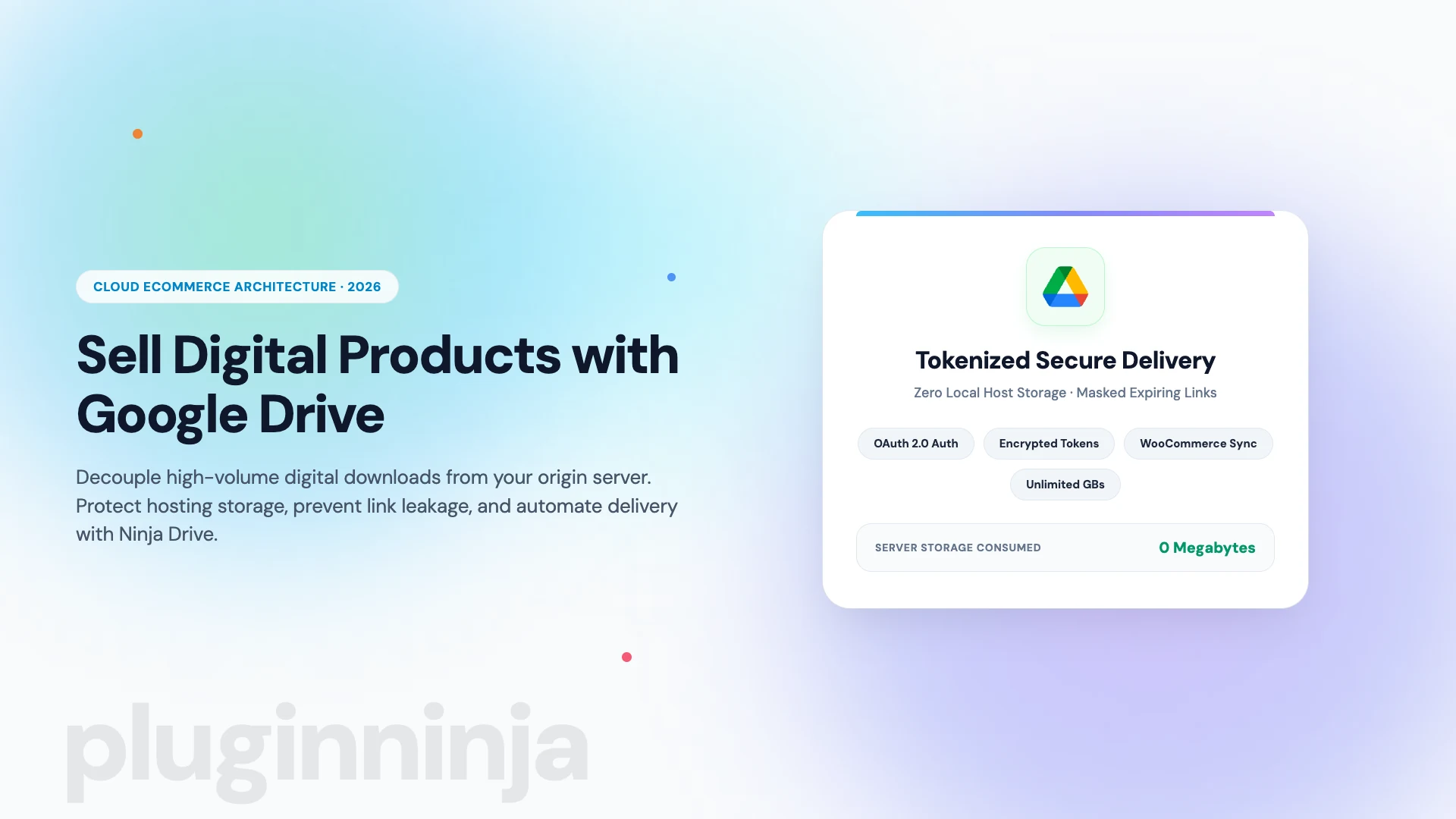
Learning how to sell digital products with google drive has become one of the most effective strategies for digital creators, educators, and software vendors in 2026. If you have ever tried to host gigabyte-sized video courses, extensive audio sample libraries, or high-resolution photography packs on a standard web host, you have likely encountered strict upload limits, bloated database backups, and sluggish checkout speeds. By connecting cloud storage directly into your ecommerce workflow, you can deliver massive downloads reliably without consuming a single megabyte of web hosting space.
Modern digital storefronts require speed, reliability, and airtight download security. When you decouple heavy customer files from your origin server to sell digital products with google drive, your website loads faster, server maintenance costs plummet, and your team never has to worry about hosting inode restrictions. Whether you manage an established digital storefront or are launching your first digital download, understanding how to configure cloud delivery correctly is essential for long-term growth.
Table of Contents
Why Sell Digital Products with Google Drive Instead of Local Hosting?
Traditional ecommerce hosting forces website owners into an expensive storage dilemma. Most managed WordPress hosting providers impose strict SSD storage ceilings, charging steep overage fees whenever your uploads folder expands. When creators upload 500MB video modules, 2GB sound libraries, or high-definition graphic bundles, server storage is rapidly exhausted. Furthermore, web hosts enforce inode limits, which cap the total number of files and folders on your server. When you sell digital products with google drive, file storage is offloaded completely to Google cloud systems.
Choosing to sell digital products with google drive completely eliminates these hosting constraints. Because your files reside on Google enterprise-grade cloud infrastructure, your origin server stores zero megabytes of downloadable media. Whether you sell a 20MB technical PDF guide or an uncompressed 15GB software archive, your web hosting disk space remains completely untouched.
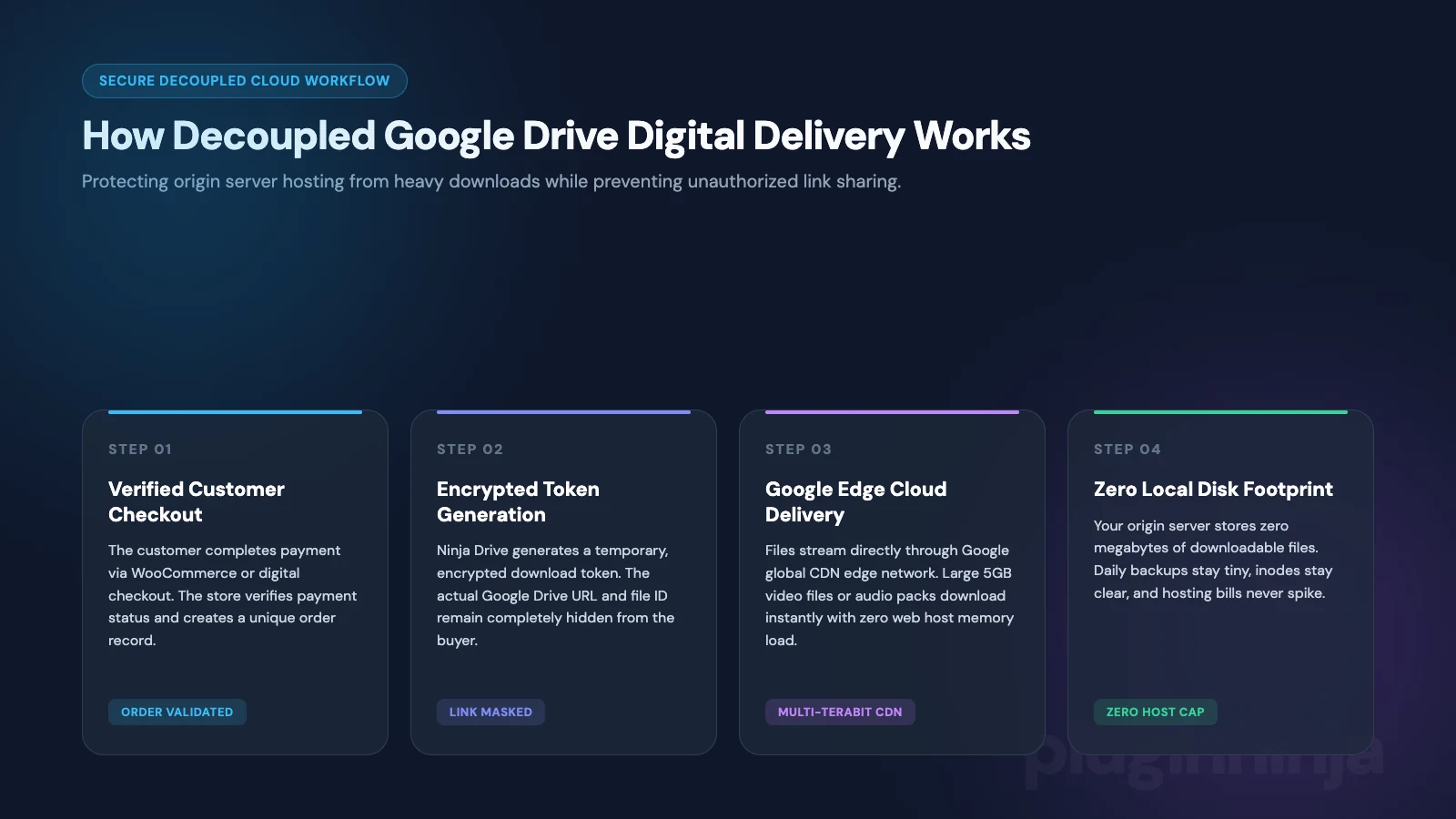
In addition to zero disk consumption, cloud delivery shields your origin server from bandwidth strain. When a popular product launches and hundreds of buyers initiate multi-gigabyte downloads simultaneously, conventional shared or VPS hosting servers often hang, exhausting available PHP workers and causing store crashes. When you sell digital products with google drive, download delivery streams through Google global multi-terabit edge network, ensuring fast download speeds for customers while your checkout pages stay completely responsive.
The Hidden Risk of Raw Google Drive Share Links
When creators first decide to sell digital products with google drive, they often make the critical mistake of copying public share links from Google Drive and pasting them into customer purchase confirmation emails. While this approach appears simple, generating a raw link with public viewing permissions introduces severe business vulnerabilities:
- Uncontrolled Link Sharing: Anyone who receives a raw Google Drive link can easily share it on community forums, Discord servers, and social platforms, allowing unauthorized users to download your products without paying.
- Search Engine Exposure: Publicly accessible cloud URLs can occasionally be indexed by automated search crawlers, exposing your premium intellectual property to the open web.
- Zero Access Expiration: Raw cloud links remain active indefinitely unless you manually revoke permissions, making it impossible to limit download attempts per order.
- Unprofessional Brand Experience: Redirecting paying customers away from your store to a generic Google Drive screen breaks brand immersion and reduces perceived product value.
To overcome these challenges, professional merchants deploy a tokenized proxy integration. Instead of exposing raw cloud IDs, an automated tool generates temporary, encrypted download tokens that mask the true destination URL, enforce download limits, and verify purchase authorization.
How to Sell Digital Products with Google Drive in 5 Steps
Implementing a scalable cloud sales system requires establishing a secure connection between your WordPress catalog and your cloud repository. Follow these five practical steps to sell digital products with google drive safely and automatically:
Step 1: Connect Google Drive to WordPress via Ninja Drive
Before you can sell digital products with google drive, your WordPress store needs a reliable connection to your cloud repository. Rather than wrestling with manual OAuth client IDs in Google Cloud Console, using a dedicated extension like Ninja Drive simplifies authorization into a single click. From your WordPress dashboard, activate Ninja Drive, click the connect button, and grant secure OAuth permissions to link your storage account with your store.
Step 2: Organize Private Digital Assets in Cloud Folders
Once authenticated, create a structured folder hierarchy inside Google Drive dedicated exclusively to commercial products (such as /Store-Products/Audio-Packs/ or /Store-Products/Courses/). Crucially, leave these folders private. Do not enable public link sharing inside Google Drive. The integration plugin handles customer access via authenticated server requests, keeping your underlying assets completely private from public view. For local media assets, pairing your setup with Ninja Media maintains structured folders inside your standard media library.
Step 3: Link Cloud Files Directly to WooCommerce Products
WooCommerce is the industry standard ecommerce platform, and configuring it to sell digital products with google drive requires only a few clicks with Ninja Drive. Open your product editor in WooCommerce, mark the item as downloadable and virtual, and click the integrated cloud picker provided by Ninja Drive. Browse your private Google Drive directories directly within the product configuration panel, select the target file, and insert it with a single click. For broader store settings, consult the official WooCommerce downloadable product handling documentation.
Step 4: Configure Expiring Download Limits and Link Masking
Under your product download settings, configure security restrictions to protect your revenue. Set a realistic download limit (such as 3 to 5 attempts per customer) and an expiration window (such as 48 or 72 hours). Ninja Drive generates secure, masked download endpoints that hide the true Google Drive file identifier. When customers click to download their purchase, the system verifies their order status before streaming the file securely.
Step 5: Test Customer Checkout and Tokenized Delivery
Before launching your product to the public, perform a live test transaction using test payment credentials. Complete the checkout process, inspect the purchase confirmation screen, and verify that the download link appears correctly in the customer account area. Click the link to confirm that file streaming begins instantly and that the underlying cloud destination remains completely concealed from the browser address bar.
| Storage Delivery Method | Host Disk Usage | Bandwidth Strain | Anti-Piracy Security | Setup Complexity |
|---|---|---|---|---|
| Local Server Storage | Consumes host SSD space | High (chokes PHP workers) | Standard WordPress urls | Moderate (upload limits) |
| Raw Google Drive Links | Zero host disk usage | Zero host bandwidth | Extremely poor (leakable) | Manual copy-pasting |
| Ninja Drive Integration | Zero host disk usage | Zero host bandwidth | High (encrypted tokens) | Fast one-click OAuth |
Best Practices for High-Volume Digital Stores
As your commercial catalog grows, adopting systematic operational habits ensures your cloud store scales smoothly without administrative friction. When you sell digital products with google drive across hundreds of transactions daily, structured workflows maintain optimal store performance.
- Maintain Strict Semantic File Versioning: When updating software packages, design templates, or guidebooks, include version tags in your cloud file names (such as guidebook-v2.1.zip). Updating the linked file in your product settings allows existing customers to access the latest version automatically.
- Take Advantage of Scalable Cloud Tiers: Google provides 15GB of free storage with every account. If your commercial library surpasses this quota, upgrading to Google One or Google Workspace plans delivers terabytes of high-performance cloud storage for a few dollars monthly, costing a tiny fraction of managed host storage upgrades.
- Accelerate Daily WordPress Backups: Because massive downloadable media files remain safely on Google Drive, your daily WordPress site backups contain only lightweight database records, plugins, and core theme files. Backup generation runs in seconds, and server migrations take minutes rather than hours.
- Monitor Download Logs and Expired Tokens: Taking proactive measures to safeguard your catalog ensures you can sell digital products with google drive with complete peace of mind. Periodically review ecommerce download logs to identify customer access issues or unusual download spikes. You can quickly regenerate customer download permissions directly from the order details dashboard.
To discover more hosting comparisons, media management workflows, and WordPress performance tutorials, explore our comprehensive guides on the PluginInja blog.
Final Thoughts on Scaling Cloud Digital Downloads
Decoupling digital product delivery from your origin hosting environment provides the ultimate competitive advantage for modern ecommerce stores. By learning how to sell digital products with google drive, you protect valuable server disk capacity, eliminate expensive hosting upgrades, and guarantee swift download speeds for global buyers. With the powerful cloud management capabilities of Ninja Drive, creating an automated, secure digital fulfillment engine has never been more straightforward.
Frequently Asked Questions About Selling Digital Products with Google Drive
No. When using Ninja Drive to sell digital products with Google Drive, the files reside 100% on Google cloud storage infrastructure. Your web host stores zero bytes of product data, saving server disk space, preventing inode limit exhaustion, and keeping local database backups lightweight.
Rather than sharing raw, public Google Drive links, Ninja Drive generates secure, temporary, tokenized download URLs that mask the underlying Google Drive file ID. You can set download limits and expiration windows, ensuring links cannot be shared on public forums or accessed by unauthorized users.
You can sell virtually any digital asset, including multi-gigabyte video courses, high-resolution photography collections, software plugins, audio sample libraries, eBooks, PDF guides, and 3D design models without worrying about server file upload restrictions or execution timeouts.
No. You can start with a standard free personal Google account, which includes 15GB of complimentary cloud storage. As your store catalog grows, you can easily upgrade to Google One (100GB to 2TB) or Google Workspace at a fraction of the cost of web hosting disk expansion.
Yes. Ninja Drive integrates natively with WooCommerce and Easy Digital Downloads. It adds a direct cloud file selector to the downloadable product configuration screen, automatically delivering secure download links when customer orders are marked completed.

 Jakir
 Ahanaf Istiyad


 Join Community