



Selecting the most dependable wordpress plugins for developers is essential for building modern themes, optimizing queries, and profiling bottlenecks in 2026. While site owners focus on frontend appearance, professional developers require specialized utilities to inspect database execution times, debug PHP notices, and monitor background cron jobs during local and staging development.
Table of Contents
Why You Need Dedicated WordPress Plugins for Developers
Building high-performance applications requires complete visibility into WordPress internals. Utilizing dedicated wordpress plugins for developers shortens debugging cycles by surfacing hidden PHP warnings, sluggish database queries, and redundant script enqueues directly in the browser.
According to the official WordPress Developer Documentation on debugging, enabling WP_DEBUG alone outputs raw logs that can be cumbersome to parse. Modern developer plugins organize diagnostic data into structured administrative overlays, accelerating code audits.
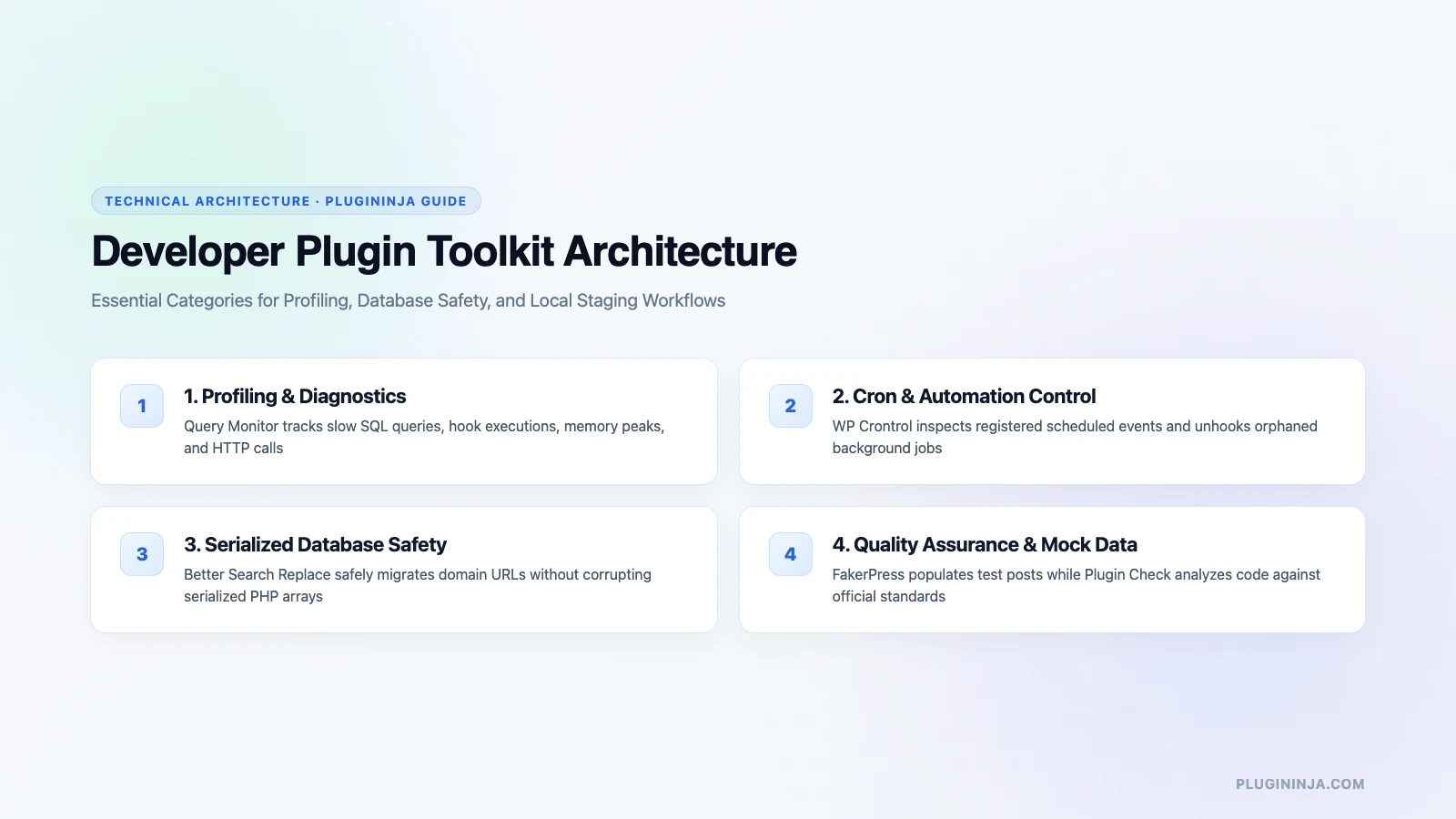
Top Tools: Essential WordPress Plugins for Developers Reviewed
Here is an in-depth review of the premier debugging and profiling utilities every WordPress engineer should keep in their toolkit:
1. Query Monitor: The undisputed gold standard developer tool for WordPress. Query Monitor provides deep diagnostic insights into database queries, PHP errors, active hooks, conditional tags, HTTP API requests, and user capability checks.
2. User Switching: Allows developers and QA engineers to switch instantly between different user roles with a single click, eliminating the frustration of constant logging in and out during permissions testing.
3. WP Crontrol: Provides comprehensive administrative control over the WP-Cron background scheduling system, allowing you to inspect, run, modify, or delete scheduled cron events in real time.
4. Theme Check: The official testing tool used by the WordPress.org review team to verify that themes adhere to current coding standards, security requirements, and template hierarchy conventions.
5. Debug Bar: Adds an interactive debugging menu to the WordPress admin toolbar, displaying cache statistics, total queries, and central PHP log outputs directly on screen.
6. Log Deprecated Notices: Identifies deprecated WordPress core functions, hooks, and arguments being executed by active plugins or themes, ensuring forward compatibility with upcoming WordPress major releases.
7. Rewrite Rules Inspector: A straightforward utility that visualizes WordPress URL rewrite rules and query variables, simplifying the development of custom post types and taxonomies.
8. Transients Manager: Gives engineers a clear user interface to inspect, search, edit, and delete expired WordPress transients stored in the options table.
9. Simply Show Hooks: An interactive visual inspector that displays every action hook and filter hook location across template files in real time.
Profiling Query Performance and Database Execution
When engineering high-traffic sites, monitoring slow database queries prevents serious server bottlenecks. Modern wordpress plugins for developers highlight duplicate queries and unindexed table lookups, allowing engineers to add caching layers before code reaches production.
Profiling object caching hit rates and memory peaks ensures that custom post types and REST API endpoints execute smoothly under heavy visitor traffic.
Optimizing Development Workflows and Media Storage
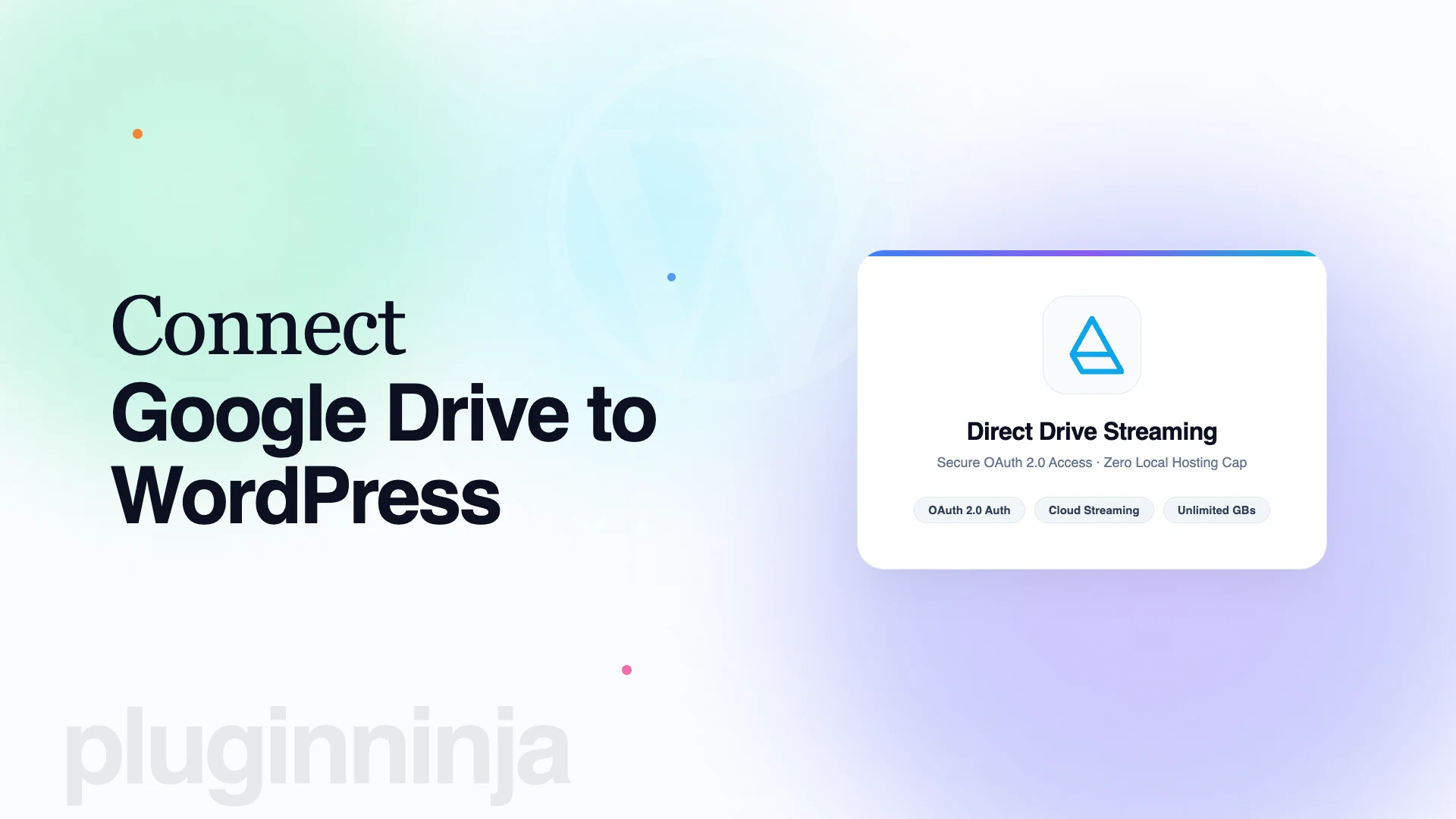
When spinning up local staging sites, synchronizing large media folders between staging and production can slow down your workflow. Using Ninja Drive allows development environments to stream media directly from Google Drive without copying gigabytes of assets locally. Additionally, organizing uploads with Ninja Media maintains structured folders, making asset migration seamless. Read more development guides on the PluginInja blog.
Best Practices When Using Developer Utilities
While diagnostic tools are indispensable in staging environments, always avoid leaving heavy profiling plugins active in production environments. Diagnostic overlays like Query Monitor add processing overhead and can expose sensitive database details if left accessible to visitors.
Ensure that you deactivate profiling tools before publishing client projects, and manage sensitive configuration flags securely inside wp-config.php.
Step-by-Step Profiling Workflow with Query Monitor
Identifying performance bottlenecks using dedicated wordpress plugins for developers follows a systematic diagnostic sequence:
Step 1: Identify Slow Queries: Open Query Monitor from your admin bar and navigate to the Database Queries tab, sorting by execution time to spot slow SQL statements.
Step 2: Trace Caller Stacks: Inspect the call stack to determine the exact plugin hook, theme template, or database function triggering the query.
Step 3: Implement Transient Caching: Wrap expensive database lookups in set_transient() calls or persistent object cache routines using Redis to reduce database load.
Step 4: Re-Evaluate Execution Times: Refresh the page to verify that query execution times drop under acceptable thresholds of 50 milliseconds.
Automating Code Quality with PHPCS and WP-CLI
Beyond visual debug bars, professional engineering teams integrate automated command-line utilities. Pairing development utilities with WP-CLI allows you to automate database migrations and cache purges directly from terminal scripts, dramatically accelerating development cycles.
Modern WordPress engineers frequently work in containerized local stacks like DDEV, Lando, or LocalWP. Using development utilities inside isolated local environments lets you test aggressive database configurations, run experimental migrations, and benchmark theme rendering speeds safely before committing code to version control.
Integrating automated linting into GitHub Actions or GitLab CI ensures that every pull request adheres to WordPress Coding Standards before merging. Leveraging specialized wordpress plugins for developers during local development guarantees that errors are caught early before affecting production users.
Maintaining clean diagnostic routines protects your team from unexpected regressions, ensuring that custom client builds deploy reliably to live production servers.
Final Thoughts on WordPress Plugins for Developers
Incorporating the right wordpress plugins for developers into your engineering workflow transforms how you debug, build, and optimize custom software. From analyzing slow MySQL database queries to managing WP-Cron tasks, these utilities ensure your code is fast, secure, and production-ready. Install these essential wordpress plugins for developers on your staging environments today and elevate your development standards.
Frequently Asked Questions
A developer-focused plugin prioritizes transparent code architecture, extensive hook availability, and minimal frontend asset overhead. Unlike consumer plugins that inject intrusive administration notices or bundled scripts across every screen, developer plugins focus on diagnostic precision, programmatic extensibility via actions and filters, and clean execution during automated deployments.
Query Monitor is strictly intended for local development and authenticated staging environments. While it only renders its administrative interface for administrators by default, collecting query traces, memory usage, and execution timings introduces unnecessary server overhead on high-traffic production servers. Keep it deactivated on live sites unless diagnosing active issues.
WP-CLI enables developers to manage WordPress installations rapidly from the terminal without using the web dashboard. You can install plugins, run database migrations, regenerate thumbnail sizes, flush rewrite rules, and manage cron events through automated shell scripts, continuous integration pipelines, and remote SSH terminal sessions.
User Switching allows developers to instantly transition between administrator, editor, author, and custom client roles with one click from the toolbar. This eliminates the tedious process of constantly logging in and out through separate private browser windows, accelerating role capability verification and custom capability testing significantly.
WordPress commonly stores theme options, widget configurations, and metadata as serialized PHP strings, which record exact character counts. Running raw MySQL search-and-replace queries corrupts these serialized arrays, breaking site configurations. Better Search Replace safely deserializes the data, updates the domain strings, and reserializes the structures without corruption.
Yes, every developer utility featured in this guide provides a fully functional free version hosted on the official WordPress.org repository. Many of these tools, including Query Monitor and User Switching, are completely free open-source utilities maintained by community contributors without artificial feature paywalls or subscription requirements.

 Jakir
Jakir 
 plugininja
 Join Community